> ## Documentation Index
> Fetch the complete documentation index at: https://docsv4.mile.app/llms.txt
> Use this file to discover all available pages before exploring further.
# Sharing a Dashboard
> Let every user of chosen roles open a dashboard you made.
A new dashboard is **private**: only you can see it. Share it with one or more roles, and everyone with those roles can open it in **Analytics › Dashboard**.
Required permission:
* Edit dashboard
Only the dashboard's owner can share it.
## Share a dashboard
1. Open **Analytics › Dashboard**.
2. Click **⋯** on the dashboard, then **Share**. You can also click **Share** at the top of an open dashboard.
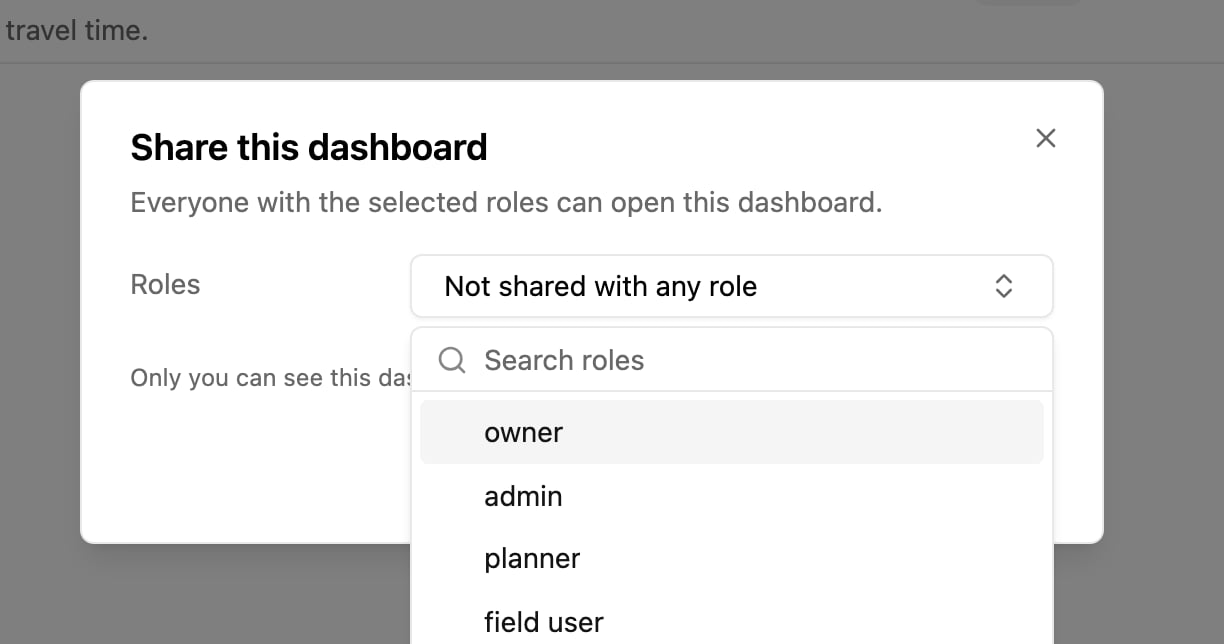
3. Open **Roles** and pick one or more roles. Use **Search roles** to find a role.
4. Click **Save**. The app says *Sharing updated*.
With no role picked, the dialog says *Only you can see this dashboard.* A dashboard can be shared with up to 50 roles. To stop sharing, remove the roles and save.
## What people with a shared dashboard can do
* **Open** the dashboard and use its filters. Their filters don't change yours.
* **Duplicate** it to get their own private copy, which they can change freely.
* They can't edit, share or delete it. Only the owner can.
The dashboard list shows who owns each dashboard and, under **Shared to**, the roles it reaches. A shared dashboard also needs **View dashboard** on the role.
## Delete a shared dashboard
When the owner deletes a shared dashboard, it is removed for everyone it was shared with.
This documentation is built and hosted on [Mintlify](https://mintlify.com), a developer documentation platform.