> ## Documentation Index
> Fetch the complete documentation index at: https://docsv4.mile.app/llms.txt
> Use this file to discover all available pages before exploring further.
# Dispatch
> Send a routing result to your field users as tasks.
When you are happy with a result, **dispatch** it. The tasks on the Task page are updated to match the result, and the visits of each vehicle are assigned to the vehicle's assignee, who then sees them in the field app.
Required permission:
* Dispatch result
## Dispatching
1. Open the result and check its vehicles, visits and assignees.
2. Click **Dispatch**.
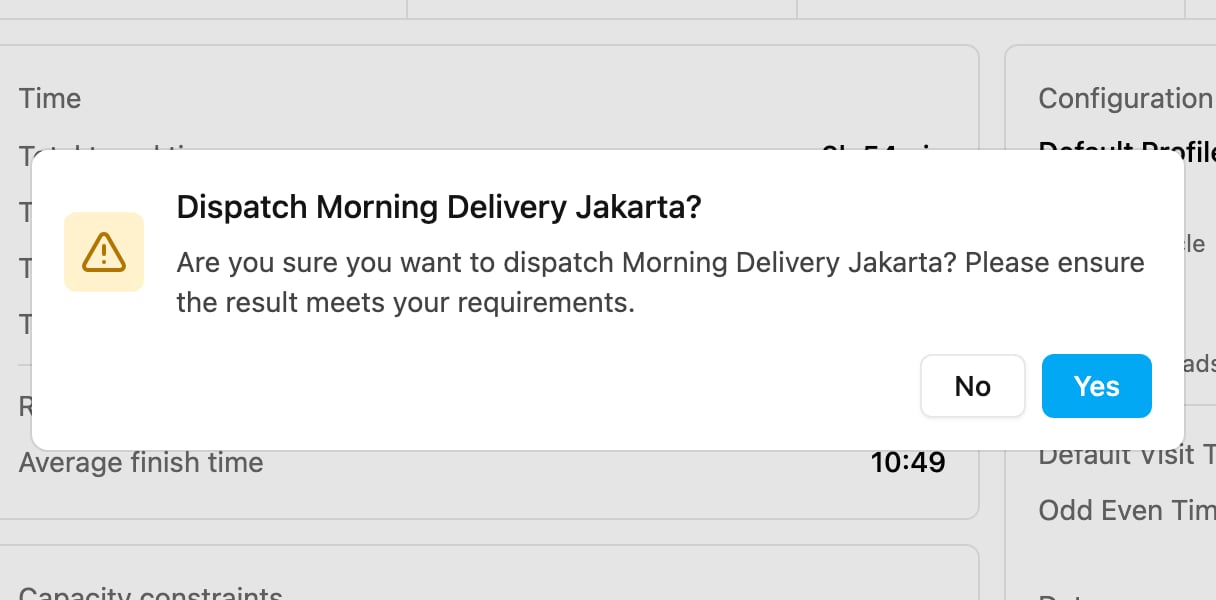
3. Confirm **Dispatch *name*?**: **Are you sure you want to dispatch *name*? Please ensure the result meets your requirements.** Click **Yes**.
The dispatch runs in the background. The result card shows **Dispatch processing...**, then **Dispatch success** with the number of tasks, or **Dispatch failed**. When it is done: **All tasks have been assigned to the field users.** The **Dispatch** button is only available for a routed result that is not already being dispatched.
## What is updated on the task
Each task gets the data from the result: the assignee, the vehicle, the ETA, the ETD, the order of the visit, the distance and the waiting time. If the vehicle has no assignee, the task becomes **Unassigned**.
These are the values sent to the task:
| Field | Meaning | Example |
| - | - | - |
| `assignee` | The vehicle's assignee. | the user's email |
| `assignedVehicleId` | The vehicle the visit is planned on. | |
| `distance` | Distance from the previous stop, in meters. | `9248` |
| `eta` | Estimated time of arrival. | `7:22:12` |
| `etd` | Estimated time of departure. | `7:37:12` |
| `routePlannedOrder` | The visit's position in the route. | `1` |
| `waitingTime` | Minutes waiting before the visit can start. | `0` |
With [Cross Docking](/pages/planning/routing/configuration/cross-docking) and [Auto Split](/pages/planning/routing/configuration/auto-split), more fields are sent, and extra tasks may be created (handover tasks for sub hubs, and one task per split part). Values typed only on the Visit page for fields the task type does not map are not written to the task.
After dispatching, follow the tasks on the [Task](/pages/activities/task/introduction) page.
This documentation is built and hosted on [Mintlify](https://mintlify.com), a developer documentation platform.