> ## Documentation Index
> Fetch the complete documentation index at: https://docsv4.mile.app/llms.txt
> Use this file to discover all available pages before exploring further.
# Move Task
> Move each new task to another hub automatically.
**Move Task** moves the task that started the automation to another hub. Use it to route tasks to the right region, department or workflow stage the moment they are created.
Available for: **On Task Created** only.
Required permission:
* View automation
* Create automation
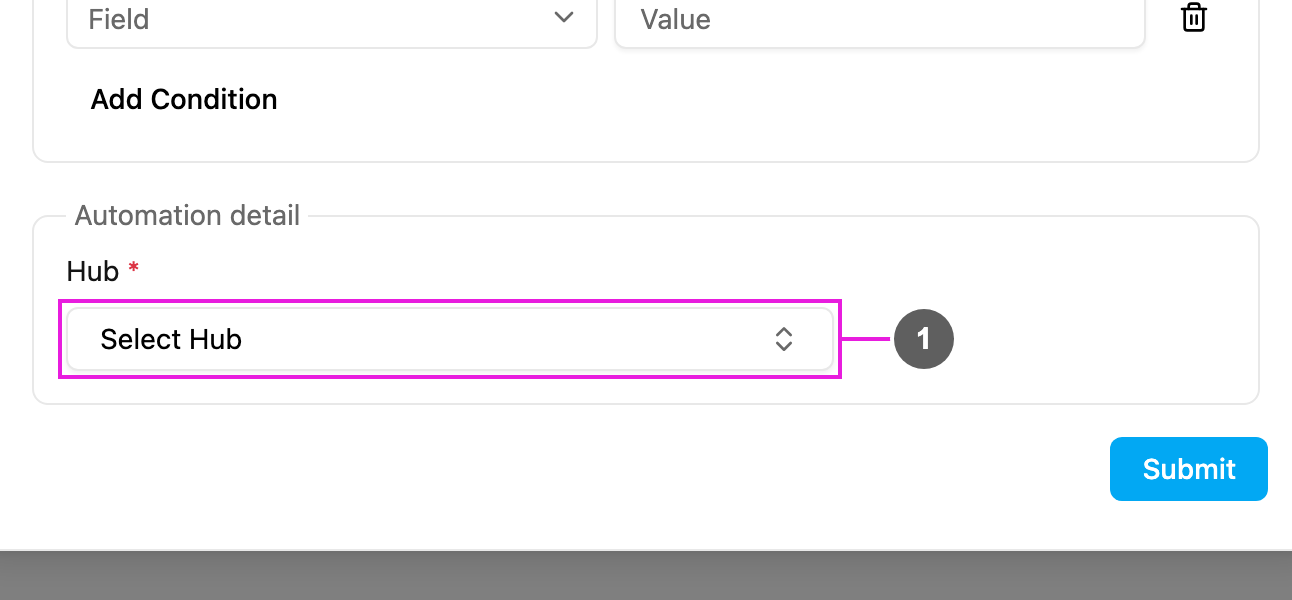
## Automation detail
1. **Hub**: required. The hub the task is moved to.
## How it works
1. A task of the automation's task type is created.
2. The [rules](/pages/workflow/automation/rules), if any, are checked.
3. The task is moved to the chosen hub straight away. Its old hub is replaced; the task is moved, not copied.
4. The task now shows in the destination hub's task list, and only users with access to that hub can see and manage it.
* The destination hub must be active.
* If the task was already assigned, the assignment stays only when the assignee has access to the destination hub.
## Examples
| Scenario | Task Type | Hub | Rule |
| - | - | - | - |
| Regional distribution | Delivery | Jakarta Hub | Customer Address contains "Jakarta" |
| Department routing | Service Request | Technical Support Hub | Service Type = Technical |
| Next workflow stage | Quality Inspection | QA Hub | Requires Check = Yes |
| Central processing | any task type | Central Hub | none; one automation per task type |
## Good practice
* Combine Move Task with [rules](/pages/workflow/automation/rules) so only the right tasks move.
* Make sure the people who work on moved tasks have access to the destination hub.
* Avoid automations that move tasks back and forth between hubs.
* Test with a sample task and check the [log](/pages/workflow/automation/log).
## Troubleshooting
**The task isn't moved.**
* Check that the automation is **Active**, its task type matches the task, and the rules don't exclude it.
* Check that the destination hub still exists and is active.
**The task disappeared after the automation ran.** It was moved to a hub you don't have access to, or the Task page's hub filter hides that hub.
This documentation is built and hosted on [Mintlify](https://mintlify.com), a developer documentation platform.