> ## Documentation Index
> Fetch the complete documentation index at: https://docsv4.mile.app/llms.txt
> Use this file to discover all available pages before exploring further.
# Input
> Capture typed values: text, dates, times, numbers, addresses, coordinates, phone numbers, links and currency.
The **Input** component captures a value the user types or picks when creating or doing a task: a customer name, a delivery date, a phone number, an address or an amount.
Set **Component Type** to **Input**, then choose a **Type of Input**:
| Type of Input | Captures | Field on the field app |
| - | - | - |
| [Text](/pages/workflow/task-type/components/input/text) | A single line of free text, such as a name, a note or a reference code | Text box |
| [Date](/pages/workflow/task-type/components/input/date) | A calendar date without a time, in `dd/mm/yyyy` | Date picker |
| [Date and time](/pages/workflow/task-type/components/input/date-time) | A date and a time together, in `dd/mm/yyyy hh:mm` | Date and time picker |
| [Time](/pages/workflow/task-type/components/input/time) | A time of day, in `hh:mm` | Time picker |
| [Number](/pages/workflow/task-type/components/input/number) | A number, optionally with a unit such as KG | Number keypad and unit picker |
| [Address](/pages/workflow/task-type/components/input/address) | A street address as free text over several lines | Multi-line text box |
| [Coordinate](/pages/workflow/task-type/components/input/coordinate) | A position as `latitude, longitude` | Coordinate box with map picker |
| [Phone number](/pages/workflow/task-type/components/input/phone-number) | A phone number | Phone keypad |
| [Link](/pages/workflow/task-type/components/input/url) | A web address | Text box checked for a valid link |
| [Currency](/pages/workflow/task-type/components/input/currency) | An amount of money in your organization's currency | Number keypad with the currency |
In the previous version these types were called String, Datetime, Numeric, Geolocation, PhoneNumber and URL. Existing components keep working under the new names.
## How inputs look on the field app
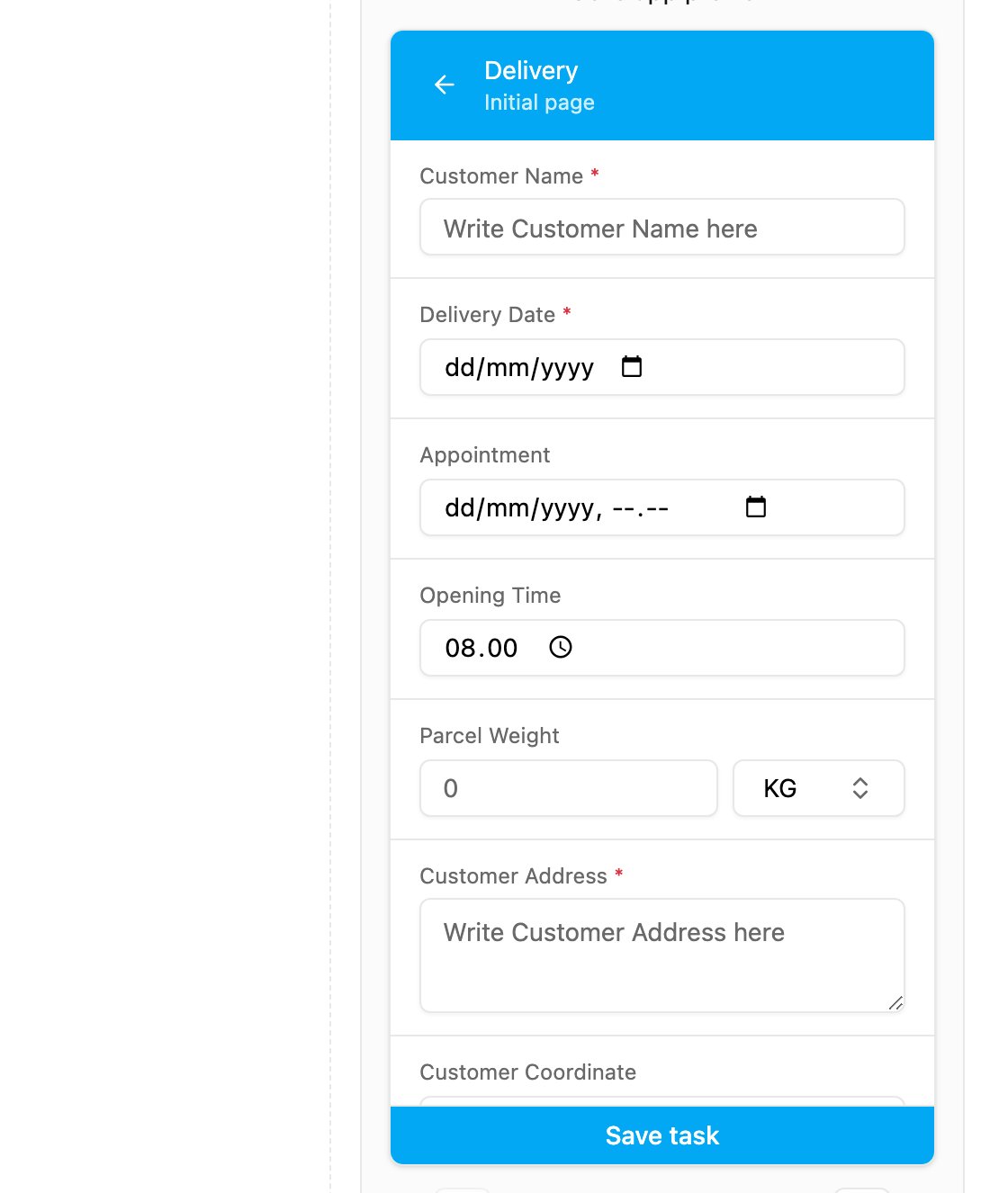
The Initial page of the example task type in the mobile preview, with one input of every type.
A required input is marked with a red **\***. A value can already be filled in when the field worker opens the task:
* **from task creation**: the value entered on the web, in an import, through the API or from a data source;
* **from the Default Value** of the component, when nothing was entered at creation.
The field worker can change the value before finishing the page, unless the task is done.
This documentation is built and hosted on [Mintlify](https://mintlify.com), a developer documentation platform.