> ## Documentation Index
> Fetch the complete documentation index at: https://docsv4.mile.app/llms.txt
> Use this file to discover all available pages before exploring further.
# Subflow
> Create a linked subtask of another task type, filled from this task's answers.
**Subflow** makes a task create a **subtask** of another task type. When a task is created, one subtask is created for each Subflow component, with its fields filled from the main task. The field worker opens the subtask from the main task, and the main task can wait until the subtask is done.
The two task types stay separate: editing the subtask's task type does not change this one. In the task list the main task is marked as the **parent** and the new one as its **subtask**. See [Subflow in a Task](/pages/activities/task/subflow-in-task).
Subflow can only go on field app pages, not on the Initial page.
**Use cases**
* **Hand-off to another team**: a return pickup or an approval done by someone else.
* **Quality control**: a separate, trackable inspection step.
* **Separate records**: keep related information in its own task.
## Properties
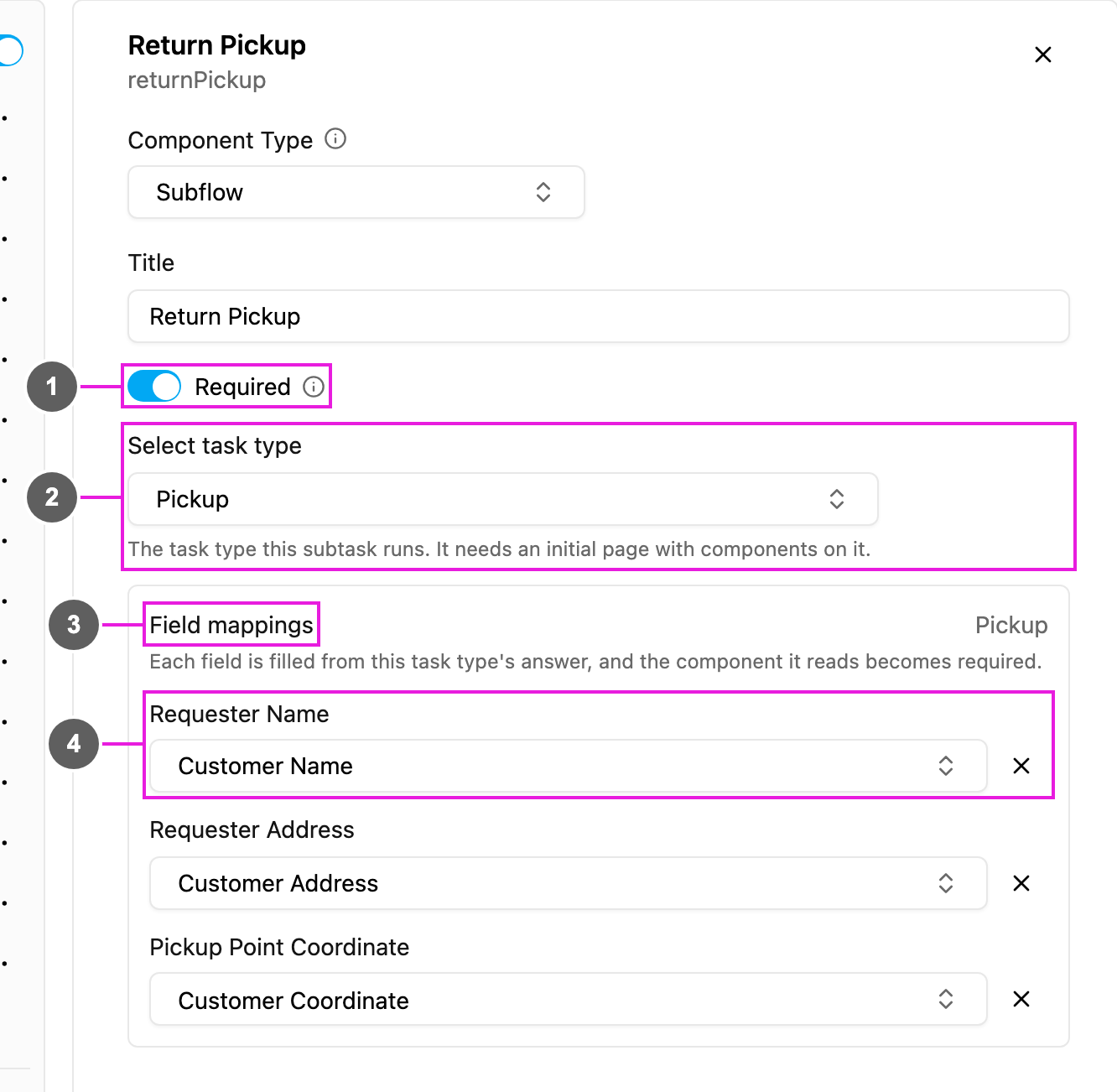
1. **Required**: when on, the main task cannot be finished until the subtask is done.
2. **Select task type**: the task type the subtask uses. It needs an Initial page with components on it.
3. **Field mappings**: one row per component on the chosen task type's Initial page.
4. **Select component**: for each row, the component of *this* task type whose answer fills it. Every row must be filled before you can save.
Subflow has no Visible switch: the subflow card is always shown on its page. To hide it, remove the component.
## Choosing the task type
The list shows every task type, but blocks two kinds:
* **Current task type**: a task type cannot point to itself.
* **Contains nested subflows (not supported)**: a task type that has a Subflow of its own.
## Field mappings
Only components on the main task type's **Initial page** can be mapped, and View components are not listed. A component used in a mapping is made **Required** automatically, because the subtask cannot be created without it.
Each row only offers components of a compatible type:
| Subtask field | Can be filled from |
| - | - |
| Input: Text | Input of any type except Number, or a Select |
| Input: Number | Input: Number |
| Input: Date | Input: Date |
| Input: Date and time | Input: Date, or Date and time |
| Input: Time | Input: Time |
| Input: Phone number | Input: Phone number |
| Input: Coordinate | Input: Coordinate |
| Input: Link | Input: Link |
| Input: Currency | Input: Currency |
| Input: Address | Input: Text or Address |
| Select | Select |
| Photo, Signature | Photo or Signature |
| Bill | Bill |
| List | List |
| Timer | Timer |
| Voice | Voice |
| Capture | Capture |
## How to set it up
Open a field app page, click **Add component** and choose **Subflow**. Write a **Title**, such as *Return Pickup*.
Open **Select task type** and pick the one the subtask uses.
In **Field mappings**, pick a component for each row.
Turn on **Required** if the main task must wait for the subtask.
## On the field app
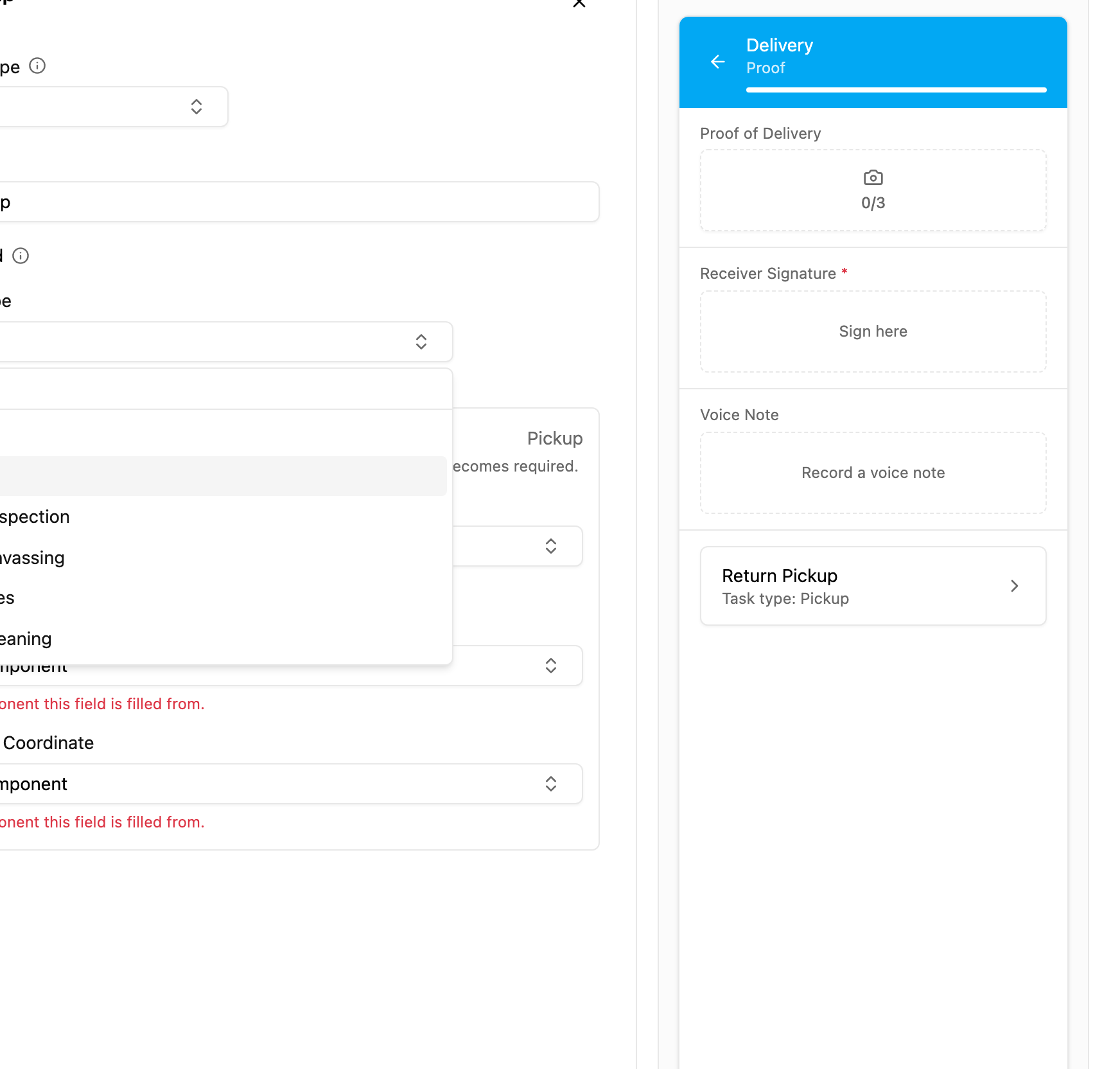
The page shows a card with the subflow's title and *Task type: {name}*. Tapping it opens the subtask, a real separate task, with the mapped fields already filled. With **Required** on, the main task cannot be finished until the subtask is done. See the preview on the [Photo](/pages/workflow/task-type/components/photo) page.
## Rules
* A Subflow cannot be added to, or moved to, the Initial page.
* A task type that contains a Subflow cannot be picked as a subtask.
* A task type cannot point to itself.
* Every listed field must be mapped before saving.
* Mappings only offer compatible types.
This documentation is built and hosted on [Mintlify](https://mintlify.com), a developer documentation platform.