

Required permission:
- View Chat on Web
Permissions
Chat has two permissions, one for each side of the conversation. Set them per role on Settings › Permission, in the Chat group.
Give each role one of the two. A field worker with the web permission could read every conversation, which is why the two are kept apart. A role with neither has no chat: the menu does not appear in the web app, and the chat screen is not available in the field app.
The Chat page
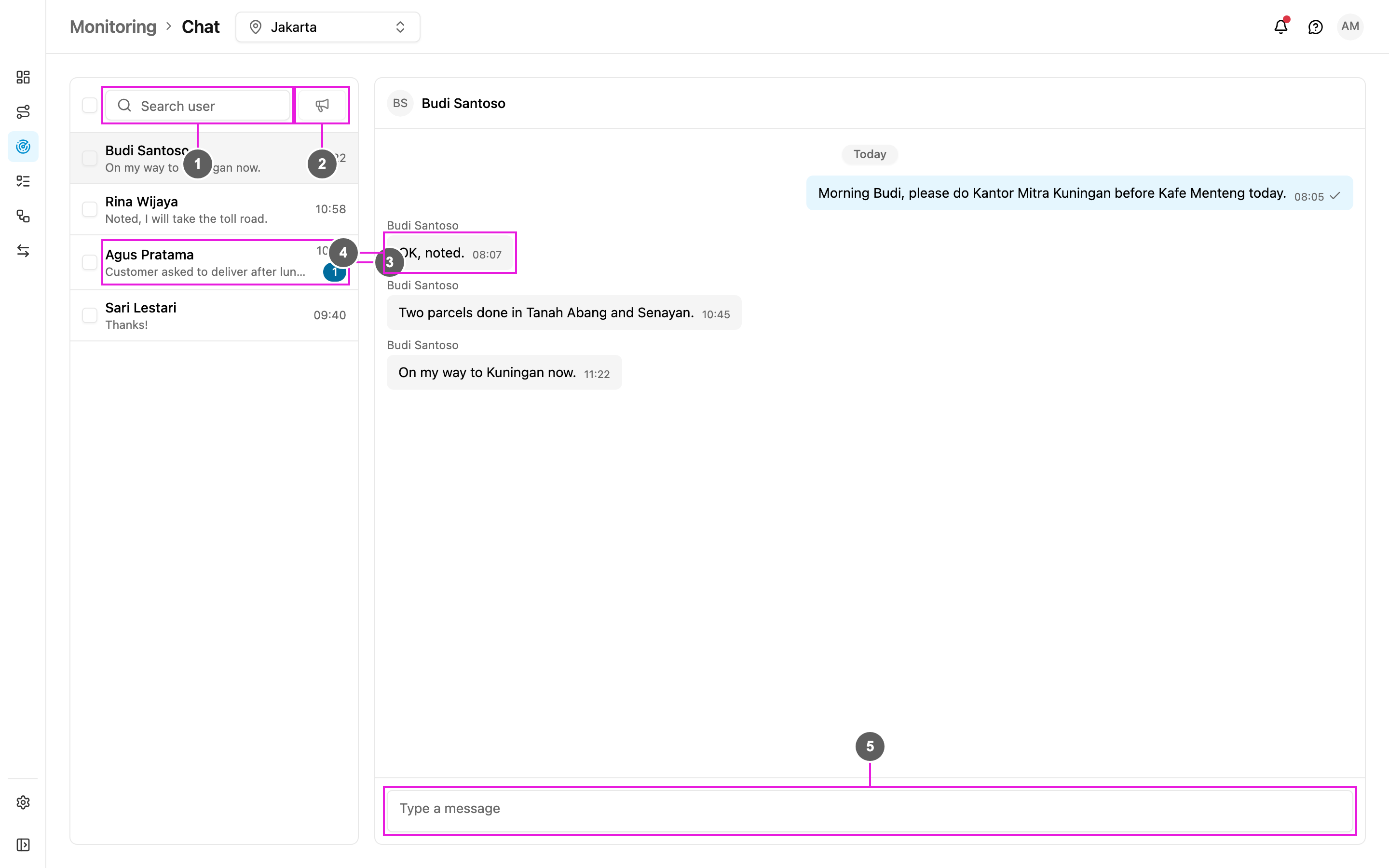
- Search user: find a field worker by name or email address.
- Broadcast: send one message to the field workers you ticked. See Broadcast.
- Conversation list: every field worker you can talk to, newest conversation first. Each row shows the last message, when it arrived, and a badge with the number of messages you have not read. Field workers you have never messaged are in the list too, so you can start a conversation with anyone.
- Messages: the open conversation. The field worker’s messages are on the left with their name, yours are on the right.
- Type a message: write your message and press Enter to send it. Press Shift + Enter for a new line.