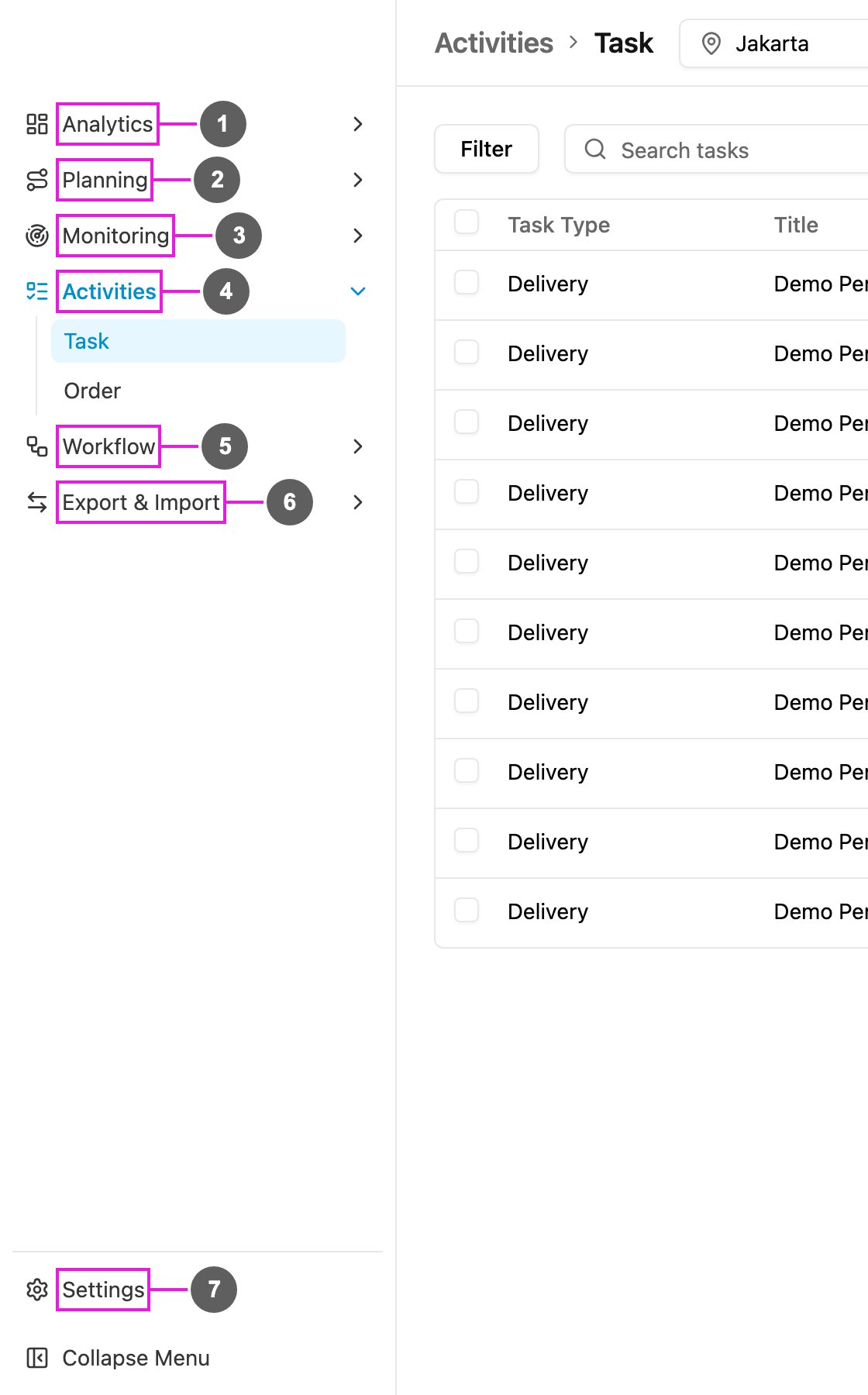
How work flows through the app
- Design the work. A task type is the form your field worker fills in, built from fields such as text, photo, signature and bill.
- Create and plan the work. Create tasks one at a time, import them from a spreadsheet, repeat them on a schedule, or let route planning decide which vehicle visits which customer and in what order.
- Do the work. Field workers open their tasks on the field app, follow the route and capture data, photos and signatures.
- Watch the work. Follow your team live on Tracking, react to alerts, and measure results on dashboards.
- Automate the routine. Automations assign tasks, send notifications or call your own systems when something happens.
The screen
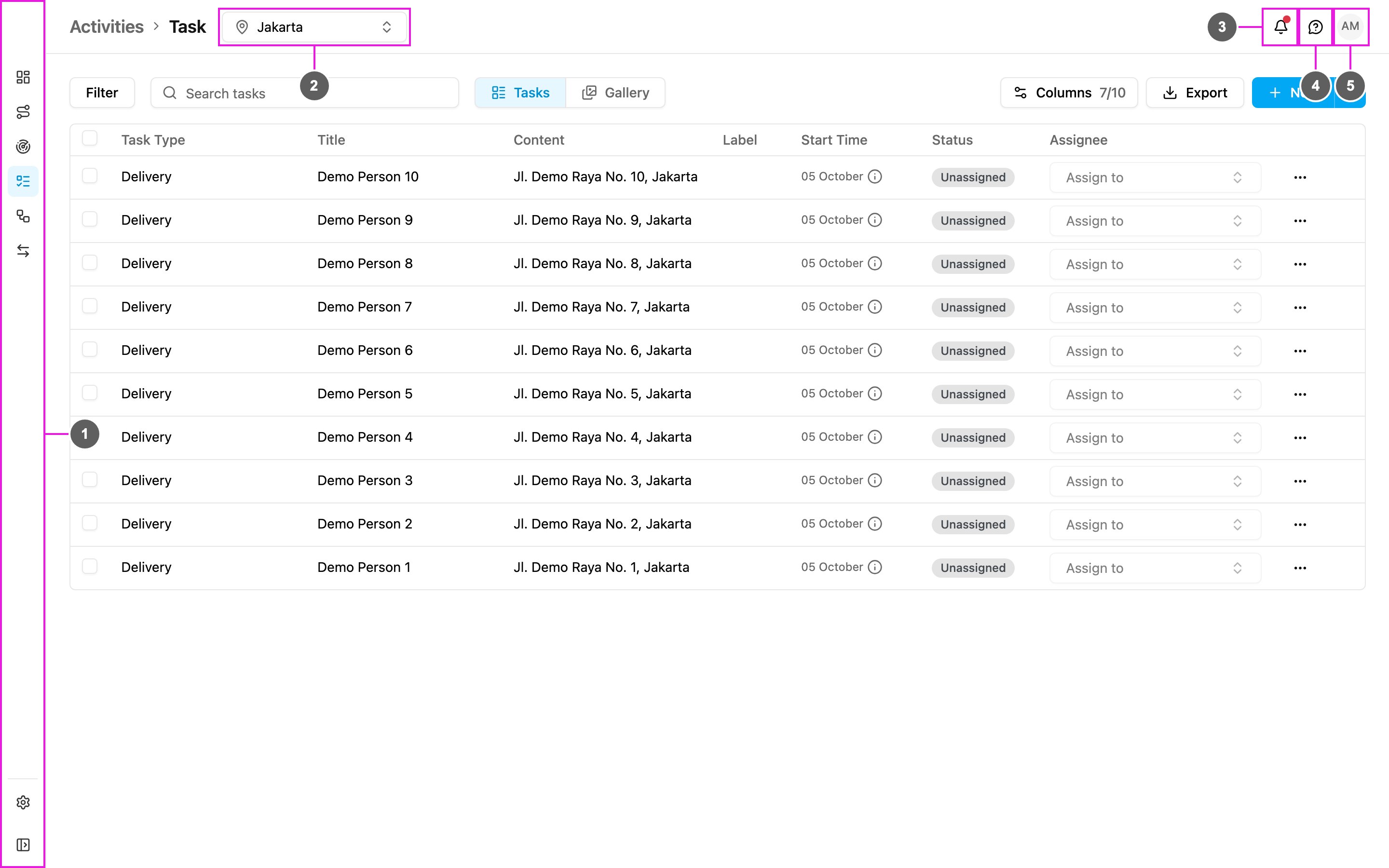
- Left menu: every part of the app. Click Collapse Menu at the bottom to show the menu names.
- Hub picker: the hub you are working in. Lists such as tasks, visits and users show only the selected hub. Pages that cover the whole organization hide the picker.
- Notifications: alerts and messages for you, and what’s new in the app.
- Help: the product guides, the API documentation, the field app download and support.
- Your profile: your account, password, sign-in security and organization.
The left menu