Required permission:
- View data type
- Create data type, Edit data type, Delete data type to change data types
The data type list
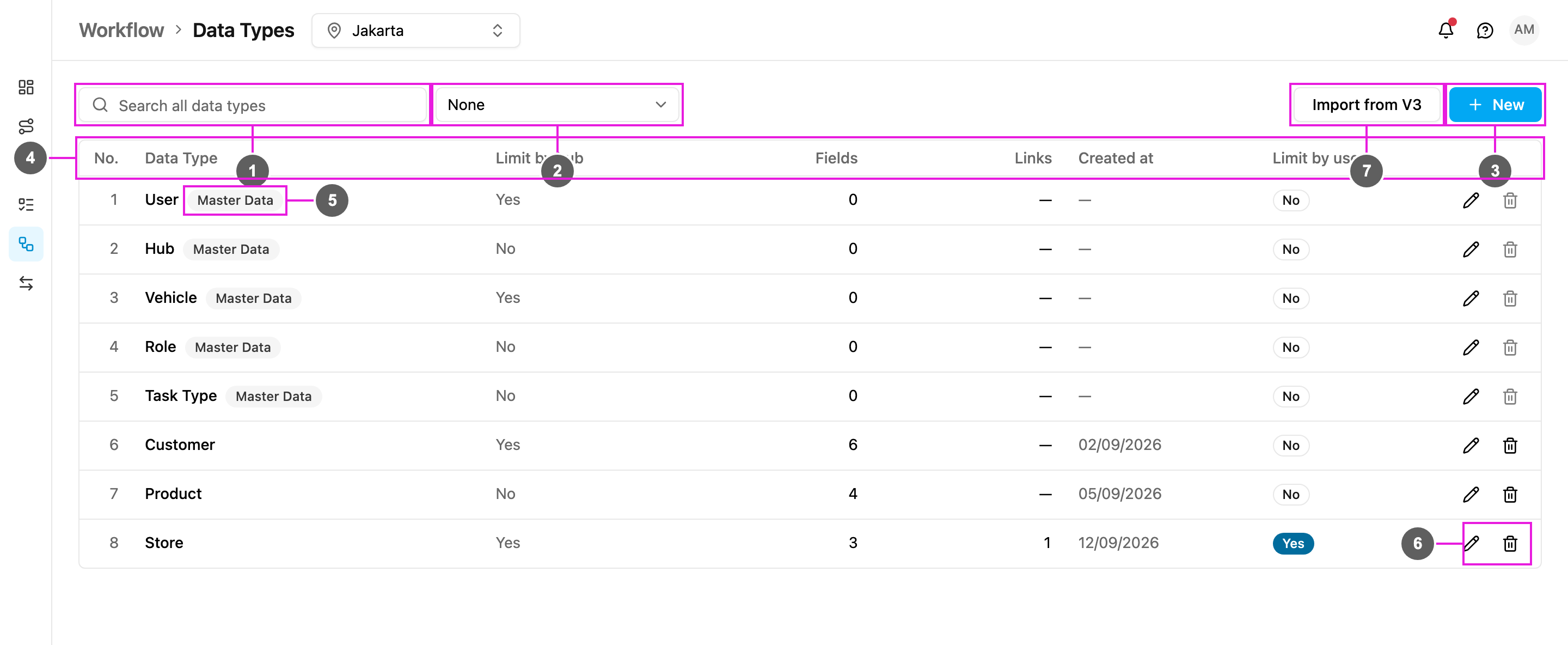
- Search all data types: find a data type by name. The search covers every data type, not only the current page.
- Group by: group the list (see below). None shows one flat list.
- New: create a data type. See Creating a data type.
-
The table columns:
- No.: row number.
- Data Type: the name of the data type.
- Limit by hub: Yes means every record belongs to one or more hubs and people see only the records of the hub they are working in. No means the records are shared by every hub.
- Fields: how many fields the data type has, not counting links.
- Links: how many Relation fields it has, that is, links to another data type or to built-in data.
- Created at: the date the data type was created.
- Limit by user: Yes means each record can be limited to chosen users.
- Actions: Edit (pencil) and Delete (bin). Some data types can’t be deleted, see Delete a data type.
- Master Data: the built-in data types User, Hub, Vehicle, Role and Task Type. You can add your own fields to them, for example a Region on every hub, but you cannot delete them.
- Edit and Delete a data type. See Editing and deleting.
- Import from V3: bring in a data type made in the previous version of the web app. See Import from V3.
Group the list
Open Group by to group the data types.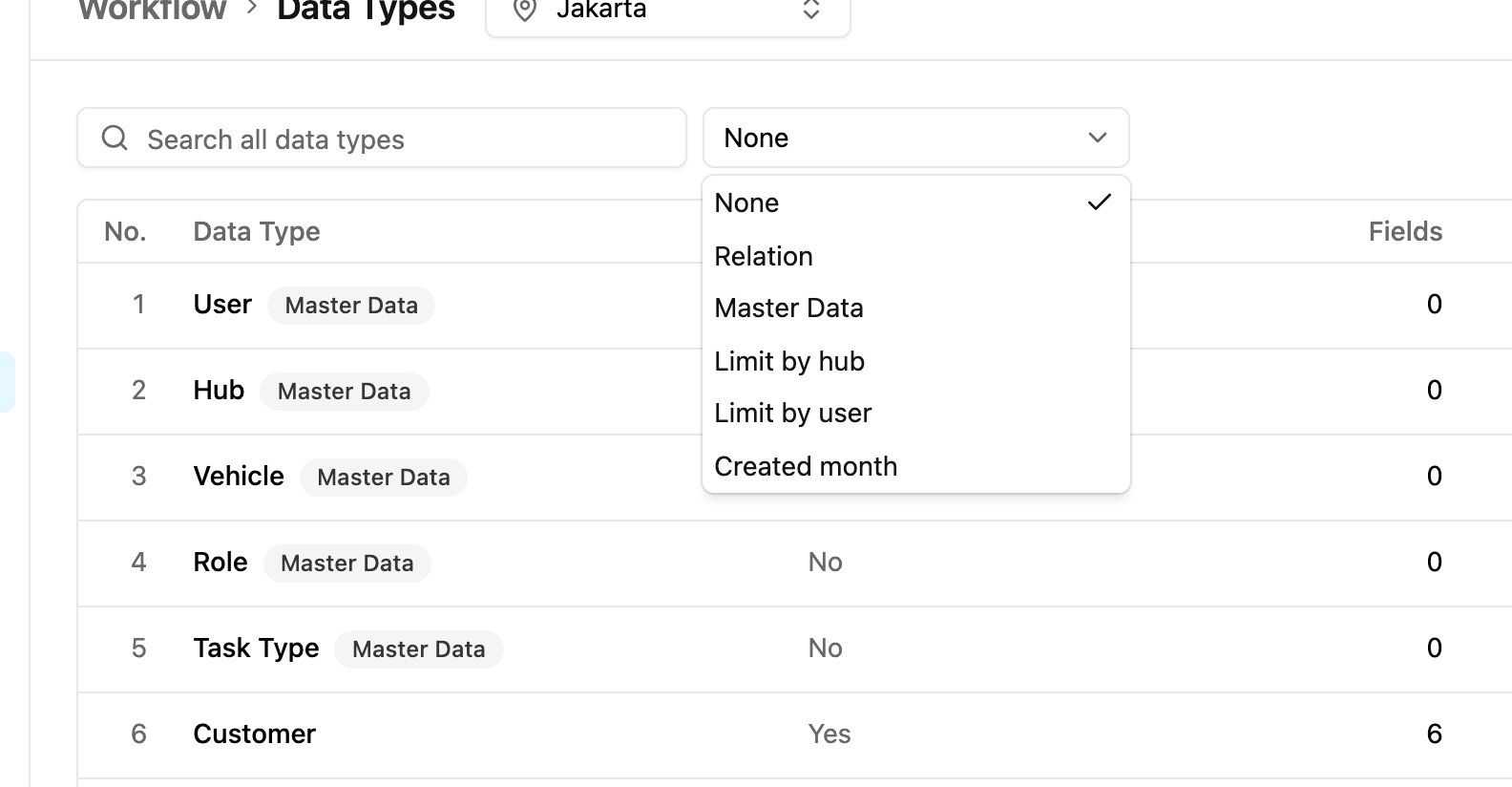
- None: no groups.
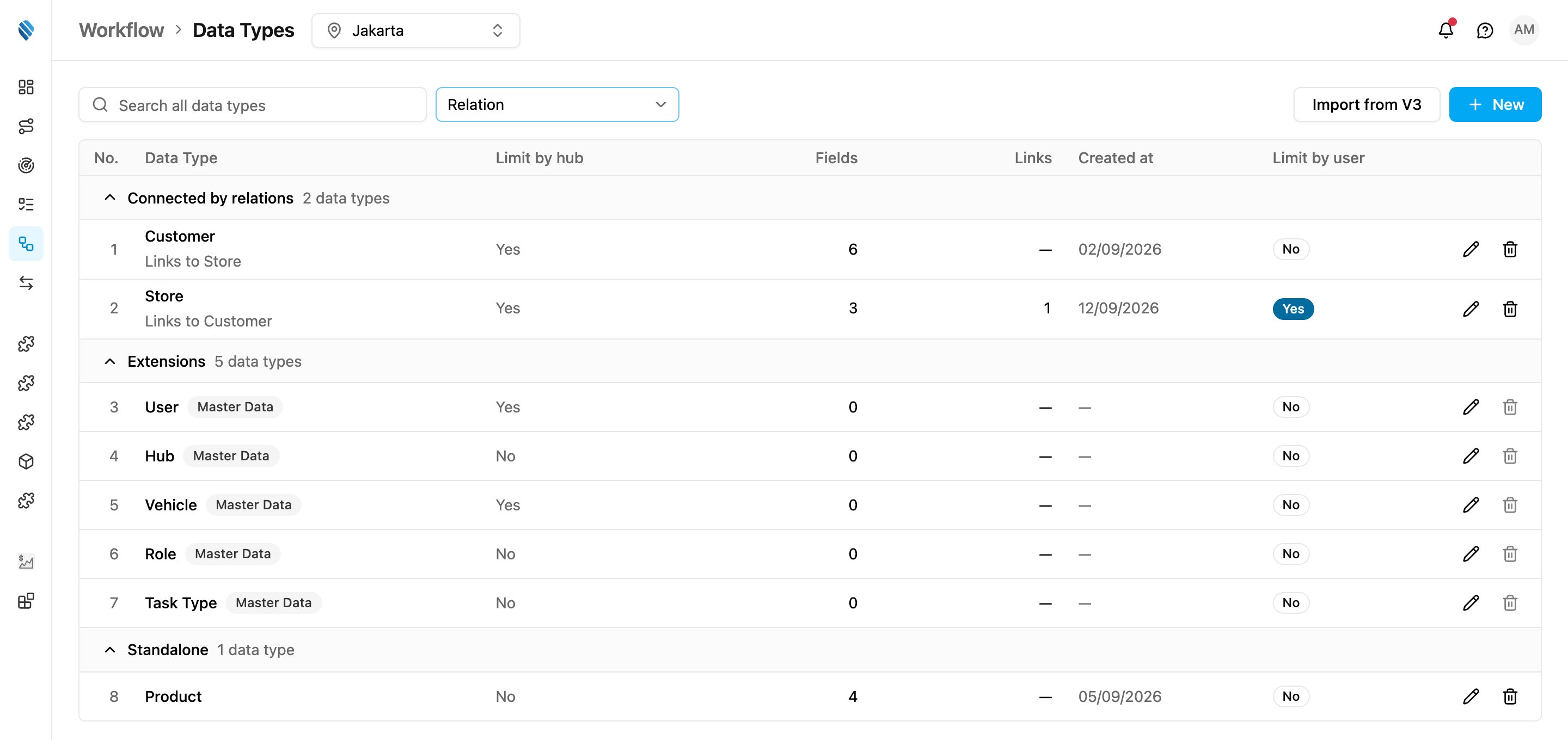
- Relation: one Connected by relations group for each set of data types linked to each other by Relation fields, then Extensions (the Master Data types), then Standalone (data types with no links to another data type). In a Connected by relations group, each row says which data types it links to, for example Links to Store.
- Master Data: Master Data first, then Other data types.
- Limit by hub: Yes (limited by hub), then No (shared by every hub).
- Limit by user: On, then Off.
- Created month: one group per month the data types were created. The Master Data types have no creation date and are grouped under Unknown date.