

Required permission:
- View flow
- Edit flow
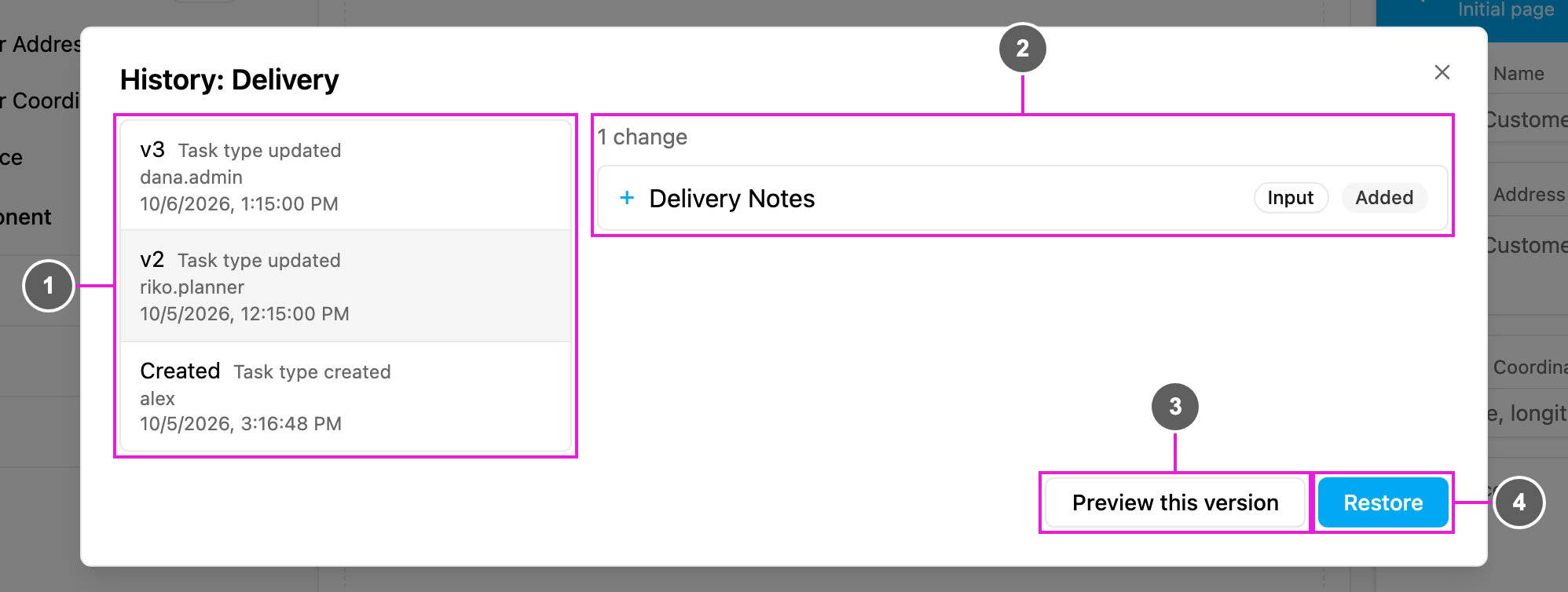
- Version list: every version, newest first. Each row shows the version number (v3, v2, …, with Created for the first one), what happened (Task type created, Task type updated, Task type restored or Task type reordered), who did it and when. Click a version to see what changed in it.
- Changes: what this version changed compared with the one before it, such as 1 change. Each line names the page, component or configuration setting and whether it was Added, Changed or Removed, or that it moved from one position to another. A version with no differences says Nothing changed in this version.
- Preview this version: show the version in the mobile app preview.
- Restore: bring the task type back to this version. The first (Created) version and the version that is already current have no Restore.
Preview a version
Preview this version shows the selected version on the simulated phone, page by page.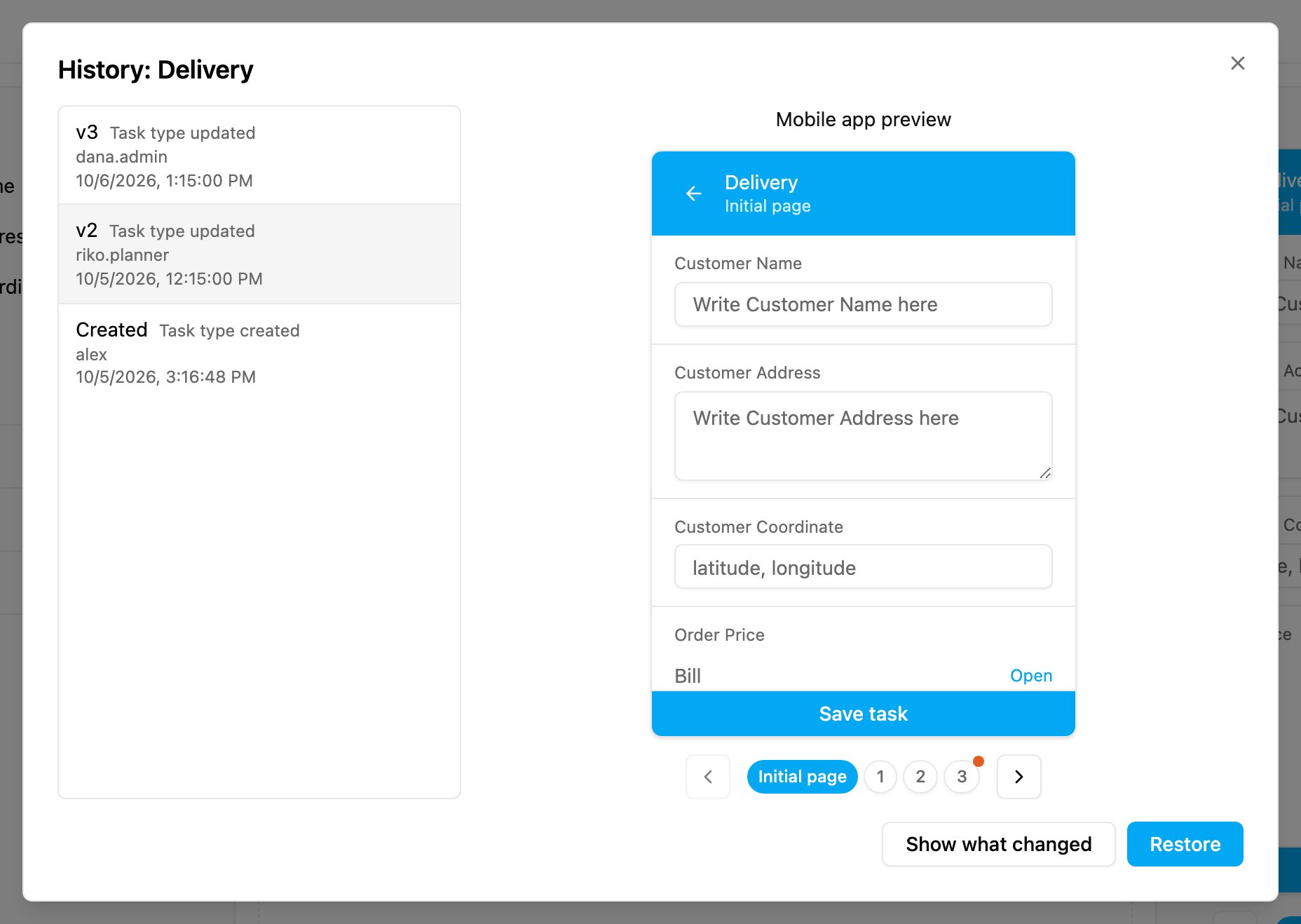
- Components that this version added or changed are tinted green, and components it removed are tinted red.
- Pages with changes have a red dot on their page number, so you can find them quickly.
- Show what changed goes back to the list of changes.
Restore a version
- Click History and pick the version to go back to.
- Optionally click Preview this version to check it.
- Click Restore and confirm.