

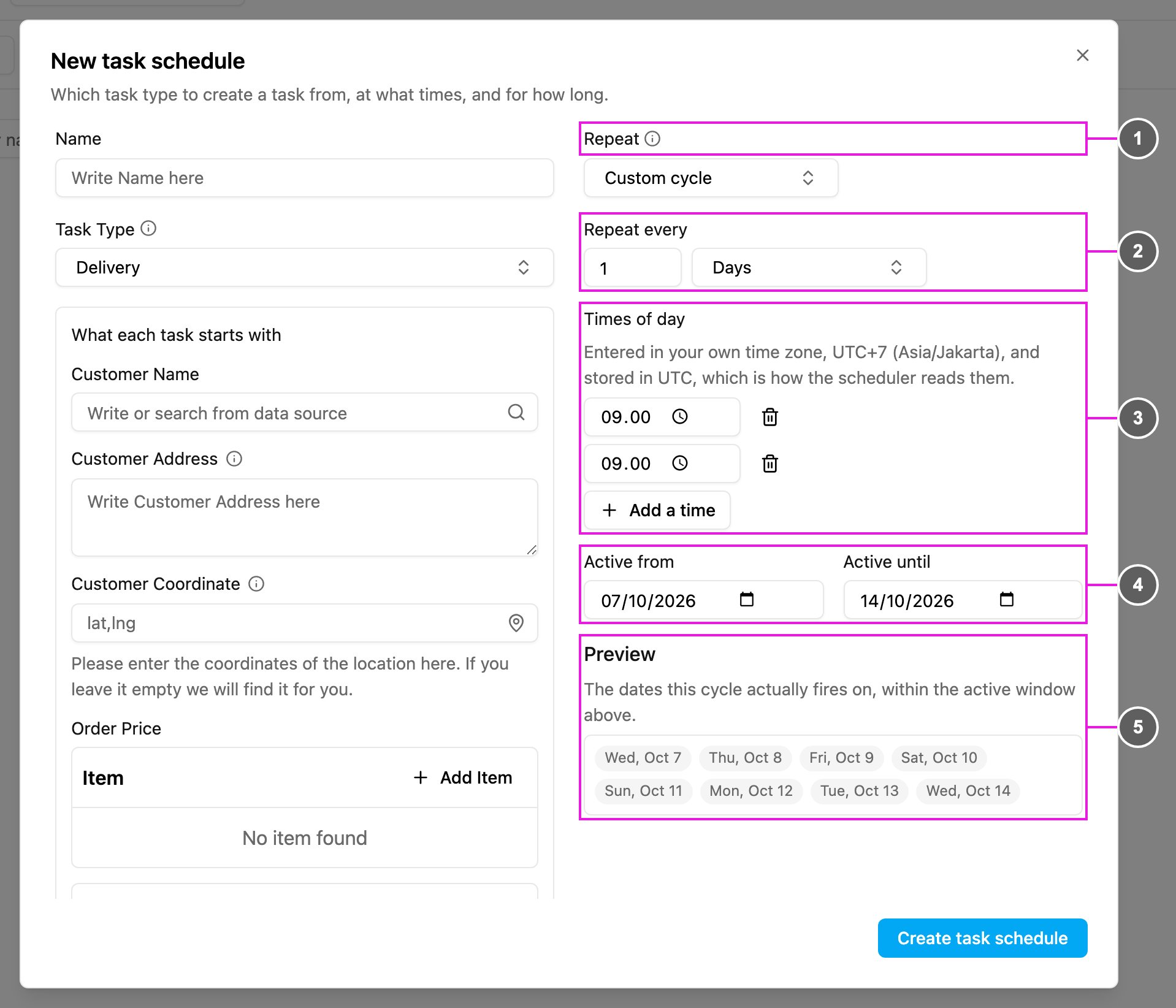
- Repeat: choose Custom cycle.
- Repeat every: a number from 1 to 99 and a unit: Days, Weeks or Months.
- Times of day: the time a task is created in each interval. With Weeks you also choose the weekday of each time, and with Months the day of the month. Click Add a time to add more.
- Active from / Active until: the schedule only runs inside this period. If Active from hasn’t arrived yet, the schedule isn’t triggered. Once Active until has passed, no more tasks are created.
- Preview: the dates the cycle actually runs on, inside the active period, so you can check the schedule before saving it. Up to the first 60 dates are shown.