

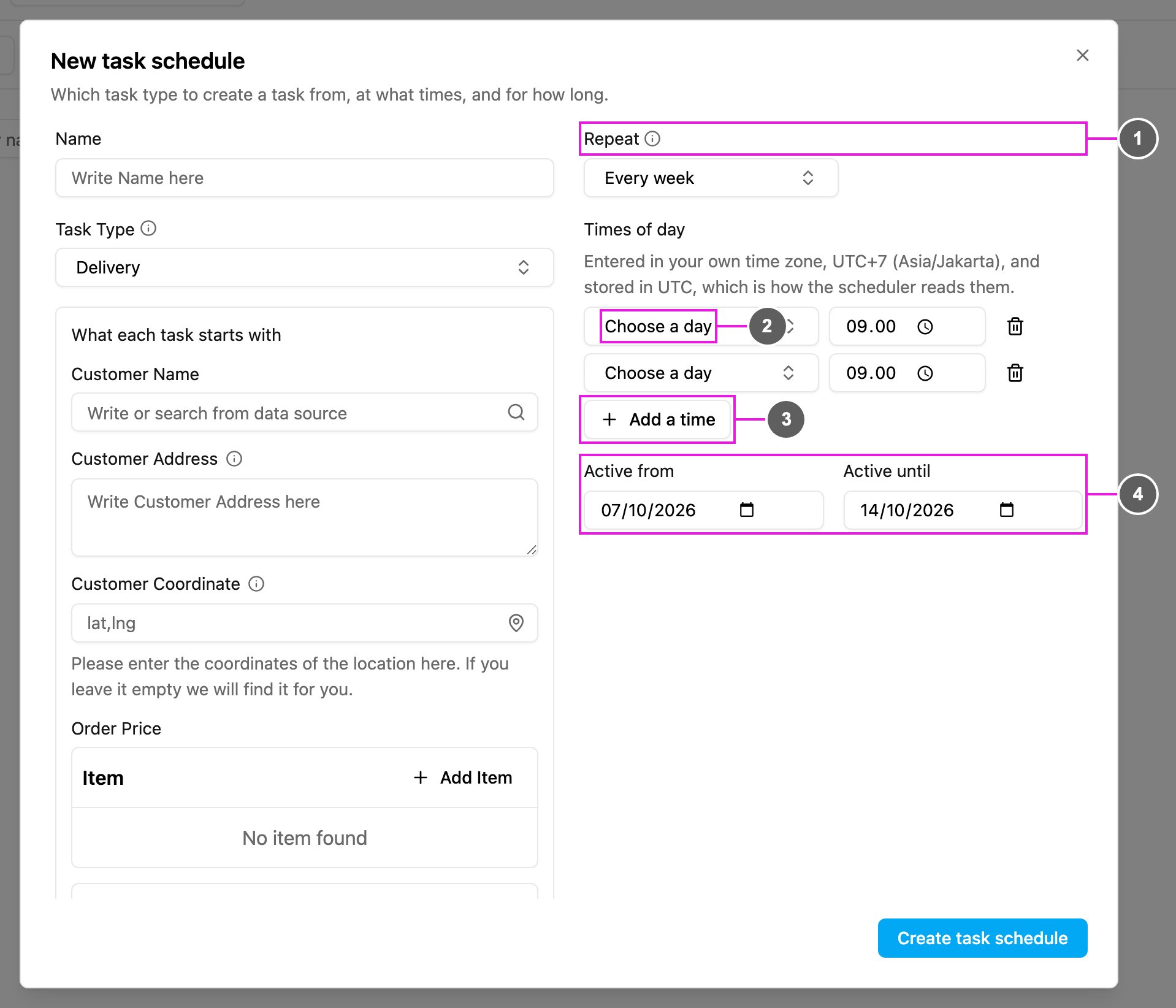
- Repeat: choose Every week.
- Choose a day and time: the weekday and the time a task is created on it. Times are entered in your own time zone and stored in UTC.
- Add a time: add another weekday and time. For example Monday 09:00 and Thursday 09:00 create a task twice a week.
- Active from / Active until: the schedule only runs inside this period. If Active from hasn’t arrived yet, the schedule isn’t triggered. Once Active until has passed, no more tasks are created.