

Required permission:
- View task
Filter
Open Activities › Task and click Filter.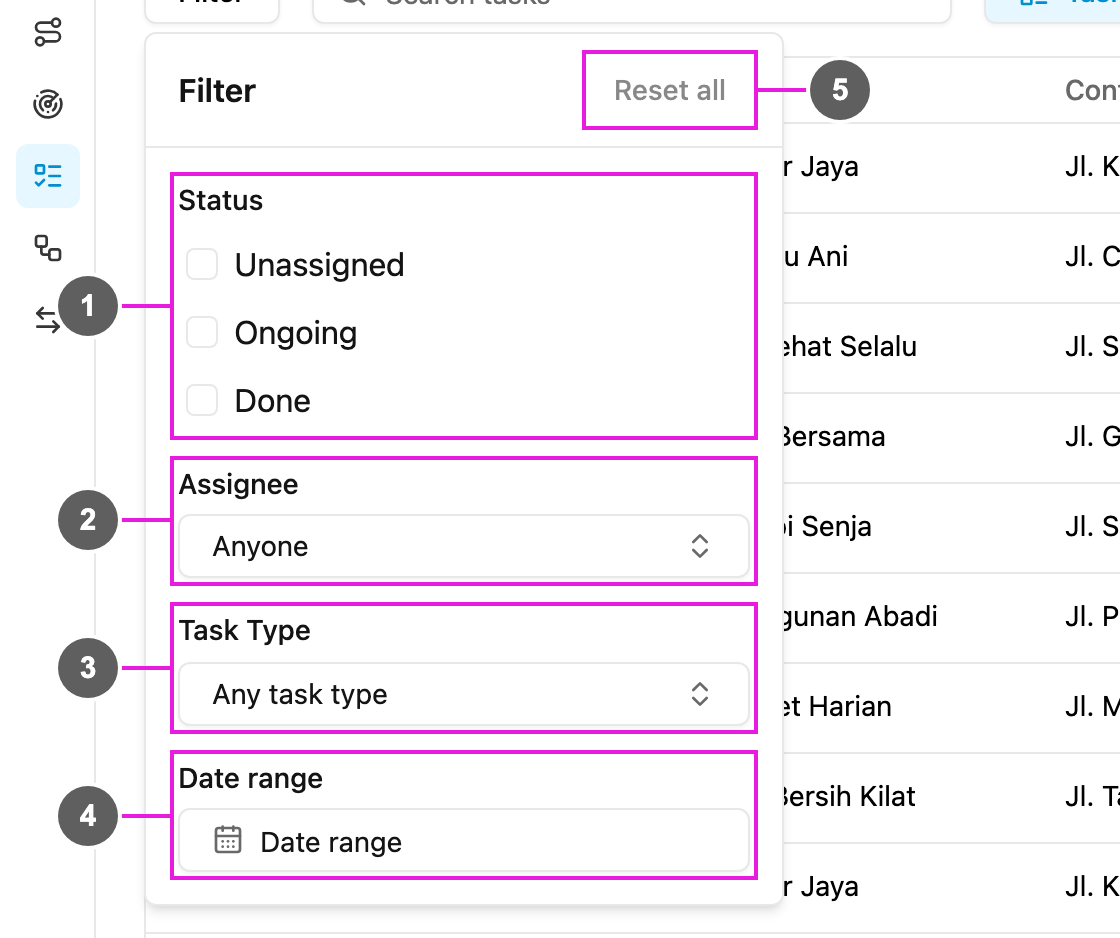
- Status: Unassigned, Ongoing or Done. Pick more than one to see them together.
- Assignee: the tasks of one person, or Anyone. Search by name, across hubs.
- Task Type: the tasks of one task type, or Any task type.
- Date range: tasks whose start time falls between the Start date and End date. Quick picks such as Today and Yesterday are offered.
- Reset all: clear every filter.
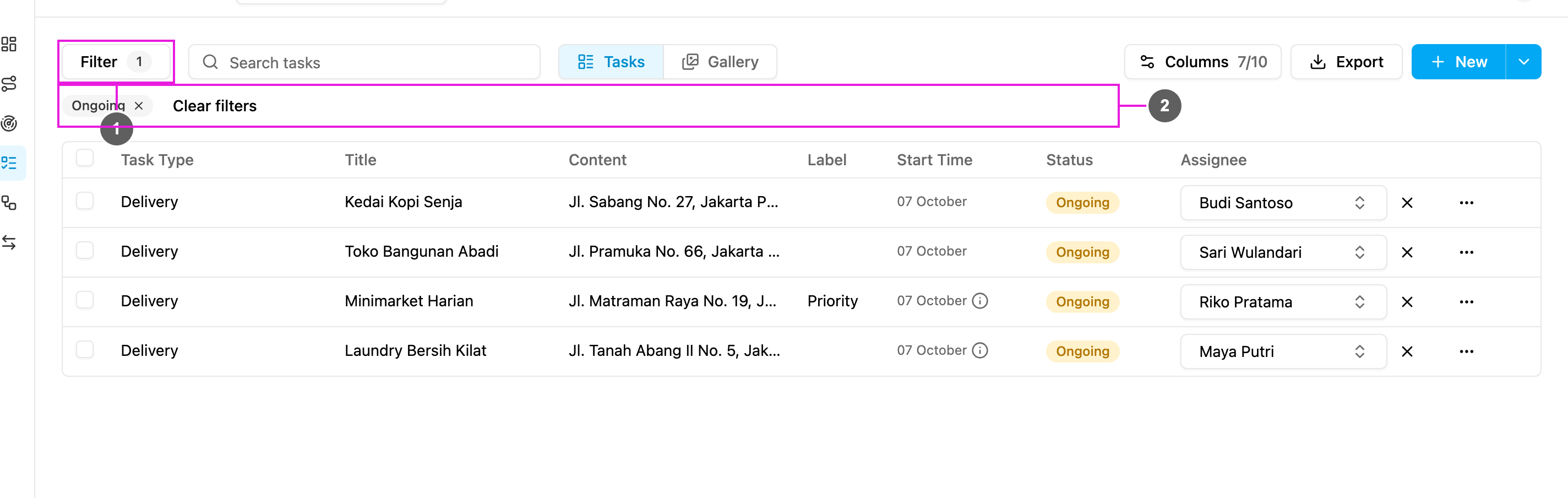
- Filter: the number beside it is how many filters are in use.
- Filter chips: the filters in use. Clear filters removes them all.
Search
Type in Search tasks to find tasks that contain the text in any of their fields, such as a customer name, an address or an order number. The search works together with the filters.Filter before you export
Set the filters and the search first, then click Export: the export includes the tasks in the list. To export only some of them, tick those tasks before you click Export. See Export.If you export without a date range, the export covers the last 30 days, counted from the moment you click Export. One export covers at most 31 days. This does not apply when you export ticked tasks: only the ticked tasks are included, whatever their date.