

Required permission:
- View configuration
- Edit constraint (add, change or delete constraints)
- Edit configuration (choose which constraints a profile uses)
Key points
- Shared by the organization: the list of constraints is the same for every hub.
- Chosen per profile: each configuration profile ticks which of those constraints it uses, so each hub can use its own.
- Limits: the organization can define up to 20 constraints, and a profile can use up to 10 of them at once.
- Any dimension: a constraint can be anything you can count or measure.
How it works
A constraint is used in three places:- Vehicle: the minimum and maximum each vehicle can carry, for example weight 0 to 1000 kg. Set it in the vehicle table or the Edit vehicle dialog.
- Visit: how much each visit needs, for example 50 kg. Set it in the visit details on the Visit page, or map a Number or Currency component of the task type to it in the task type’s route configuration. An empty value counts as 0.
- Optimization: the total of the visits on each vehicle stays within that vehicle’s capacity.
Example
Constraintweight, unit kg:
The visits on vehicle A add up to at most 1000 kg and those on vehicle B to at most 500 kg. Visit 3 can only go on vehicle A. No vehicle is overloaded.
Adding a constraint
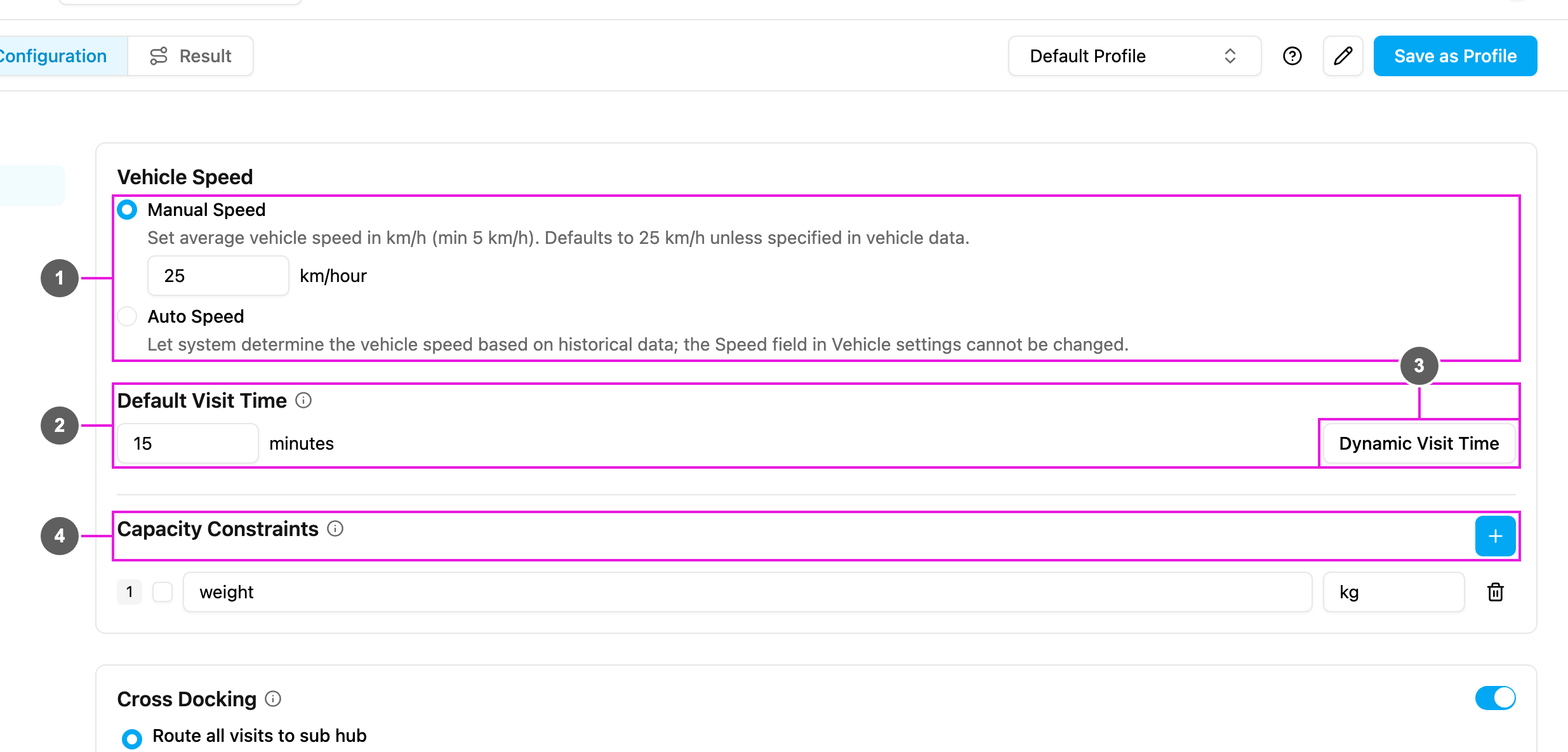
- Open Planning › Routing › Configuration and go to Speed & capacity.
- In Capacity Constraints, click the + icon. A new row appears.
- Type the name in Constraint and the unit in Unit.
- Tick the box at the start of the row to use the constraint in this profile.
- Must be unique in your organization: “volume” is already used by another constraint.
- Is stored in lowercase, without spaces.
- Cannot be a built-in field name:
name,address,coordinate,timeWindow,visitTime,tags,assignee,workingTime,multiday,speed,fixedCost(“speed” is reserved for a built-in field.). - Good examples:
weight,volume,item_count,pallet_quantity,cold_storage_volume.
kg, m3, pcs, pallets or liters.
Managing constraints
- Use in this profile: tick or untick the box at the start of the row. A profile can use up to 10 constraints: A maximum of 10 capacity constraints can be selected. Unticked constraints are ignored by the optimization but stay available to every hub.
- Edit: change the name or unit; it is saved when you leave the field. The profile and its Dynamic Visit Time rules follow the new name. Renaming a constraint does not change values already stored on vehicles and visits under the old name, so choose names carefully before they are widely used.
- Delete: click the trash icon on the row and confirm Delete this constraint?. The constraint is removed for the whole organization, along with its use in profiles and in Dynamic Visit Time.
During the optimization
- The total demand of each constraint is calculated per route.
- No vehicle is given more than its maximum.
- Visits that do not fit in any vehicle are dropped, with the capacity named as the reason (see Dropped Visit), unless Auto Split splits them.
- The result shows how much of each capacity every vehicle uses.
Best practices
Use clear names:weight_kg, volume_m3 and pallet_count are easy to understand; w or constraint1 are not. Separate words with underscores and keep names short.
Start simple: begin with the constraint that matters most (usually weight or volume) and add more when you need them.
Combine related dimensions: instead of length, width and height, calculate the volume before creating the task and use one volume_m3 constraint.
Test first: try a few vehicles and visits to check that the capacities are realistic and that vehicles and visits use the same unit.
Common setups
Dynamic Visit Time
A constraint can also make the visit time longer as the load grows, for example 2 minutes per box. See Dynamic Visit Time.Troubleshooting
The + icon is missing- The organization already has 20 constraints. Delete unused ones first.
- You do not have the Edit constraint permission. Ask your admin.
- It is already used by another constraint, or it is a built-in field name. Choose another name.
- Vehicle capacities are too small for the visits. Check them.
- Vehicles and visits use different units (kg and grams, for example).
- Some visits have no value for the constraint.
- Try with fewer constraints ticked to find which one causes it.
- Make sure it is ticked in the profile you are using.
- Check that you are on the right hub.