

- Vehicles may return to the hub during their working hours.
- One vehicle can make several trips in a day.
- Useful when the visits are more than a vehicle can carry at once.
- Turning it on also turns on Return to Hub.
Required permission:
- View configuration
- Edit configuration
Turning it on
- Open Planning › Routing › Configuration and go to Optimization.
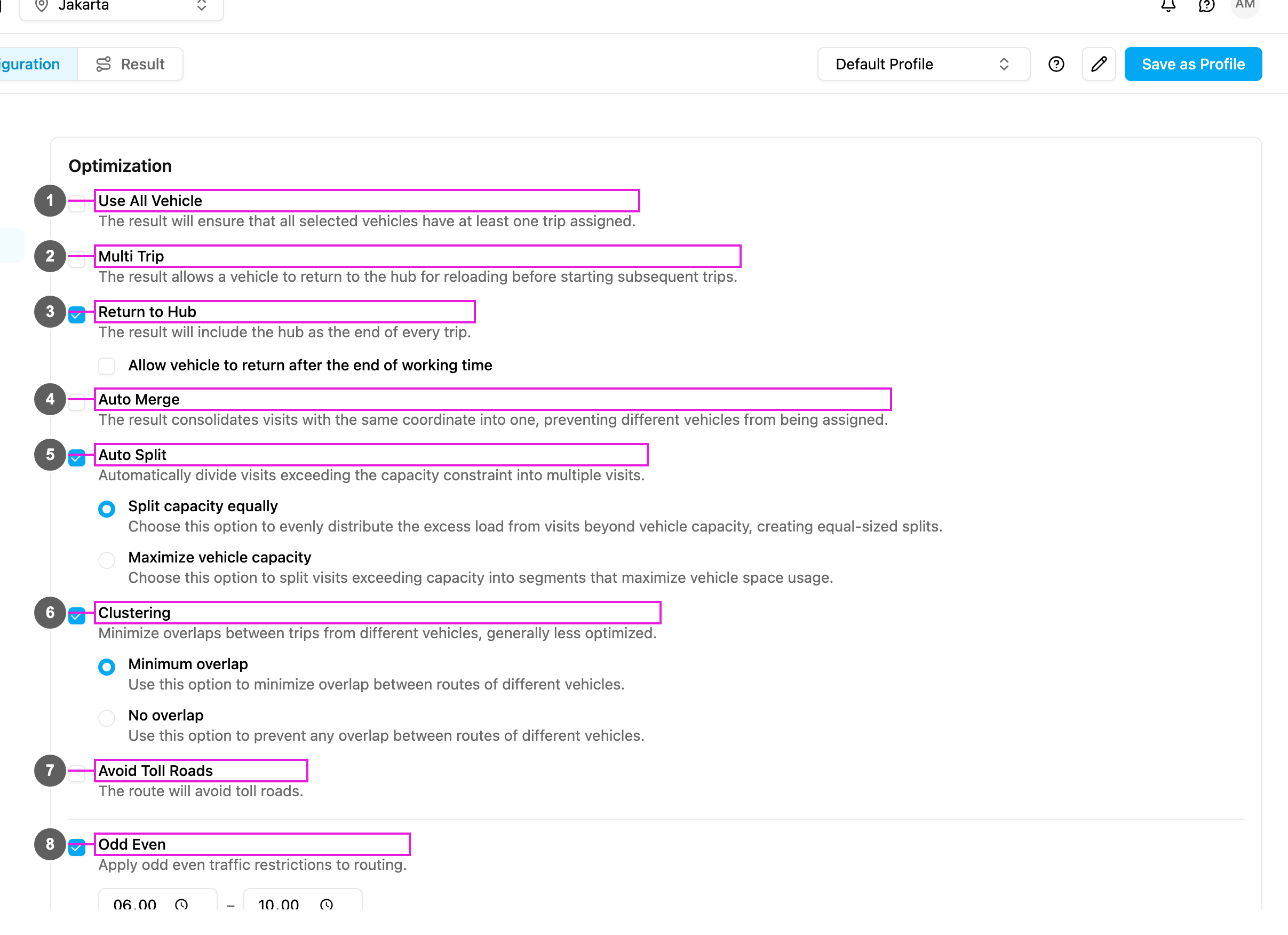
- Tick Multi Trip (item 2 in the picture).
How it works
In the result, each trip of a vehicle is listed separately.
Use cases
Busy days: 50 deliveries, 3 vehicles that each carry 20. With Multi Trip each vehicle makes 2 trips and all 50 deliveries are served with the fleet you have. Perishable goods: a food service wants little time between loading and delivery. Multi Trip with short trips and frequent hub returns keeps the goods fresh while still using each vehicle fully. Mixed loads: fragile, heavy and temperature-sensitive goods need separate trips. Use Multi Trip with a capacity constraint per product type: the same vehicle carries different loads on different trips.When to use it
Use it when:- the visits are more than one trip can carry,
- you want to get the most out of each vehicle,
- the working hours are long enough for several trips,
- the hub is central and the visits are near it,
- several trips cost less than adding vehicles.
- the visits fit easily in one trip,
- the hub is far from the service area,
- the working hours are too short,
- the time windows leave no room to go back to the hub,
- the trip back to the hub costs more than it saves.