

Required permission:
- View task
- Edit task
- Route optimization
Setting a visit group
Open Edit Visit for a visit on the Visit page. Two fields set the group: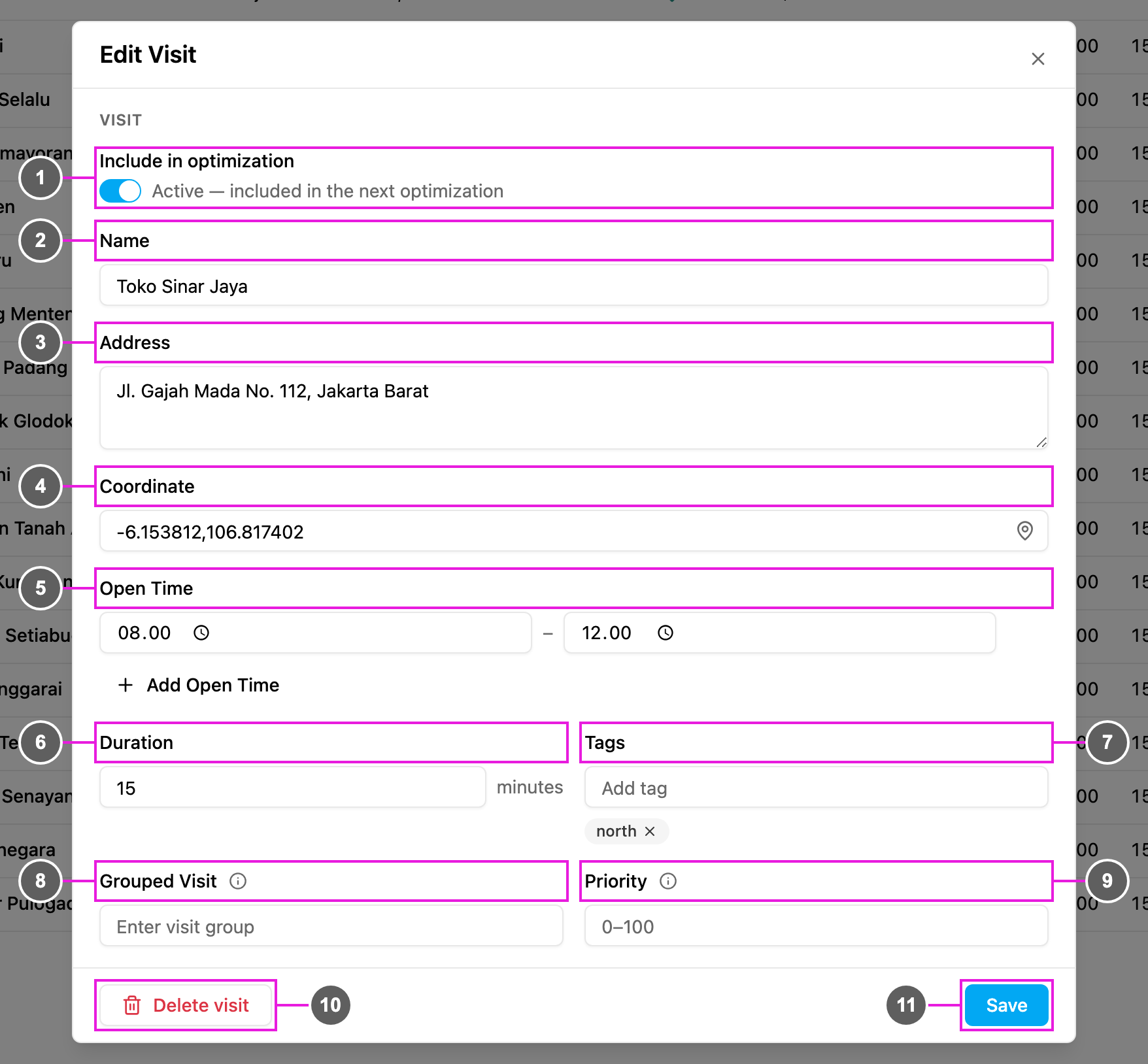
- Grouped Visit (item 8): the group name. Visits with the same group are given to the same vehicle. Leave it empty if the visit has no group.
- Priority (item 9): the order inside the group, from 0 to 100, 0 by default. A lower number is visited earlier.
In the result
In the result, the visit group appears as a badge next to the visit’s tags.Notes
- A group can contain any number of visits, not only two.
- Priority sets the order inside a group, but the visits are not always back to back: other visits may be planned in between.
- To keep the group and priority on the task after you dispatch, map them in the task type’s route configuration. Values typed only on the Visit page are temporary: they are used by the optimization but not saved to the task.