

Required permission:
- View automation
- Create automation
- View data source
When it runs
The event runs when a record is created by any of these:- Web app: a user adds the record on the Data Source page.
- Import: records uploaded from a spreadsheet.
- API: records created through the API.
- External data source: records synced from an integrated external system.
Set it up
On Workflow › Automation, click New.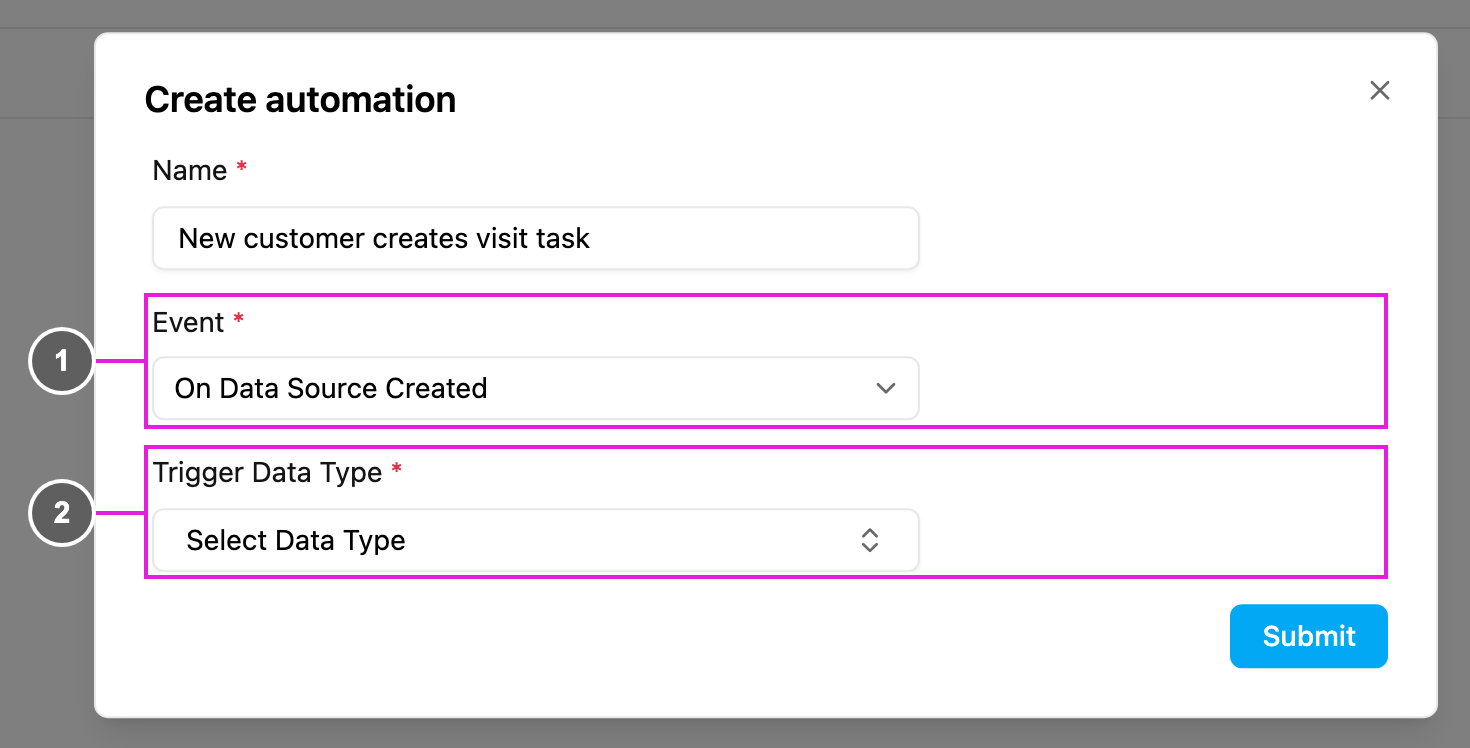
- Event: On Data Source Created.
- Trigger Data Type: required. The data type whose new records start the automation, for example Customer Orders.
-
Create Task: pick the task type to create and map the record’s fields to the task’s fields, for example
Fields not in the record can be given fixed values.
-
Webhook: send the record to a URL, for example
https://api.example.com/data/createdwith anAuthorizationheader.
Use cases
Webhook payload
An example request body:entry.fields follows the fields of your data type.
Troubleshooting
The automation doesn’t run when records are created.- Check that its Active switch is on and the record’s data type matches Trigger Data Type.
- Check that the rules don’t exclude the record, and that the record was saved.
- Review the field mapping. Empty record fields give empty task fields.
- Give required task fields a fixed value when the record may not have them.
- Look for several active automations on the same data type. The event runs on new records only, not on updates.
- Make your webhook endpoint idempotent, using the record ID.