On Geofence Leave runs when a field worker’s GPS position leaves a geofence whose entry was already sent. Use it to close a site visit in another system, measure time on site, or alert when a worker leaves a restricted area.
Required permission:
  • View automation
  • Create automation
  • View geofence
Availability and constraints are the same as On Geofence Entry: geofence is only turned on for selected organizations, Webhook is the only automation type, a Geofence Group is required and there are no rules.

When it runs

  1. The field app reports a position outside a geofence the worker was recorded as inside.
  2. The system checks whether the entry for that geofence was sent.
  3. If it was, the leave runs and the webhook is sent. If it wasn’t, nothing is sent.
A leave never runs without its entry. If the worker only clipped the corner of a geofence and left before the dwell time, no entry was sent, so no leave is sent either. Every leave you receive pairs with an entry you already received for the same worker and geofence.

Set it up

On Workflow › Automation, click New, then:
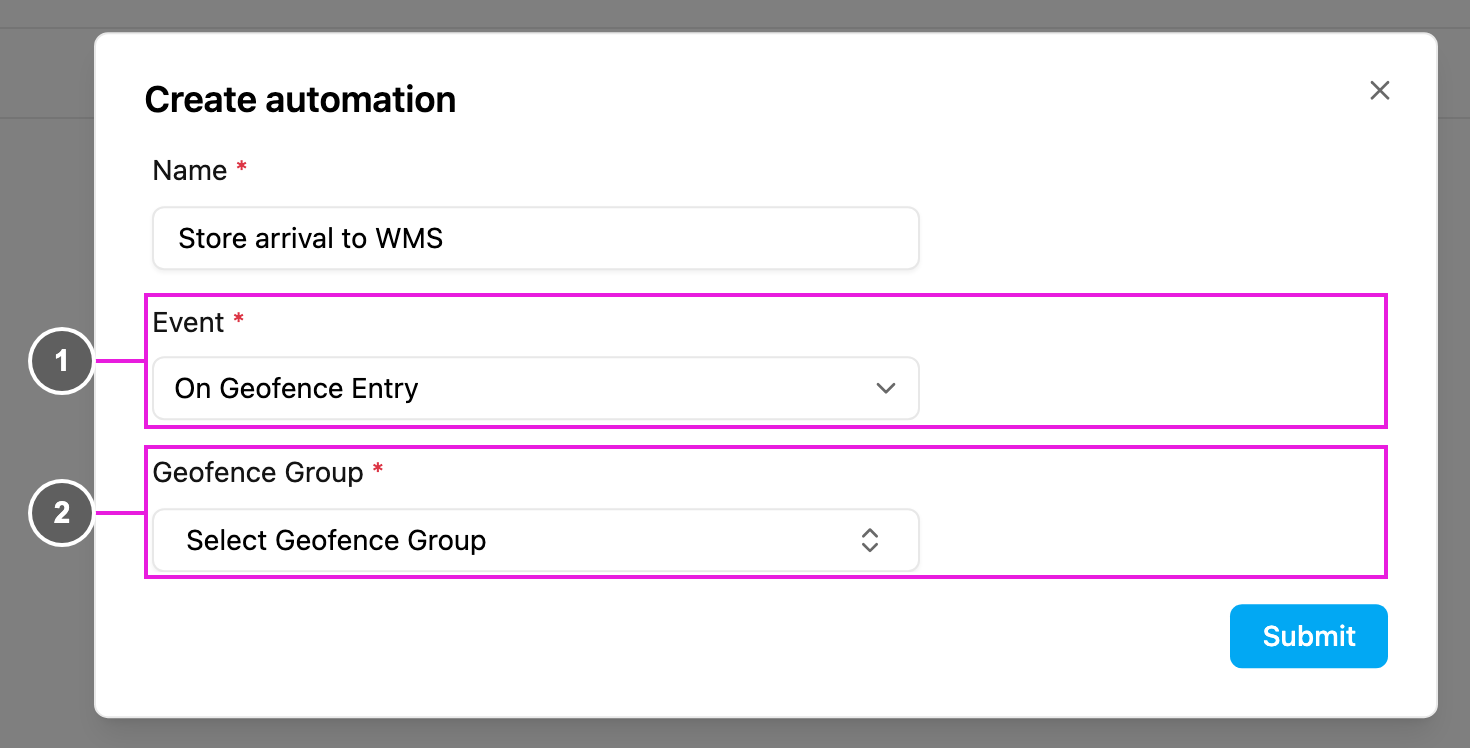
Geofence event
  1. Event: On Geofence Leave.
  2. Geofence Group: required. The group to watch.
Choose Automation Type › Webhook, fill in the webhook URL and Headers, and click Submit. Entry and leave are two events, so each needs its own automation. Both can watch the same group and send to the same URL; tell them apart by eventName.

Webhook payload

The body has the same shape as On Geofence Entry, with eventName set to leave_geofence:
To measure the visit, compare createdTime of the leave with createdTime of the matching entry.

Troubleshooting

The leave never runs.
  • Check that you received the matching entry first. No entry means no leave.
  • Check that the automation and the geofence are active, and the geofence is in the chosen group.
  • The field app must keep reporting positions until the worker is outside.
The leave arrived much later than expected. The leave is decided from the first position reported outside. If the device lost signal inside the zone, the crossing is only detected once positions resume. The webhook receives nothing. Check the URL, the authentication header, and the response in the log.