

In the previous version this component was called Voice Note. It can only go on field app pages, not on the Initial page.
- Explaining an issue out loud instead of typing it.
- Customer feedback in the customer’s own words.
- Context that photos and text cannot capture.
- Other languages: record in the customer’s language.
Properties
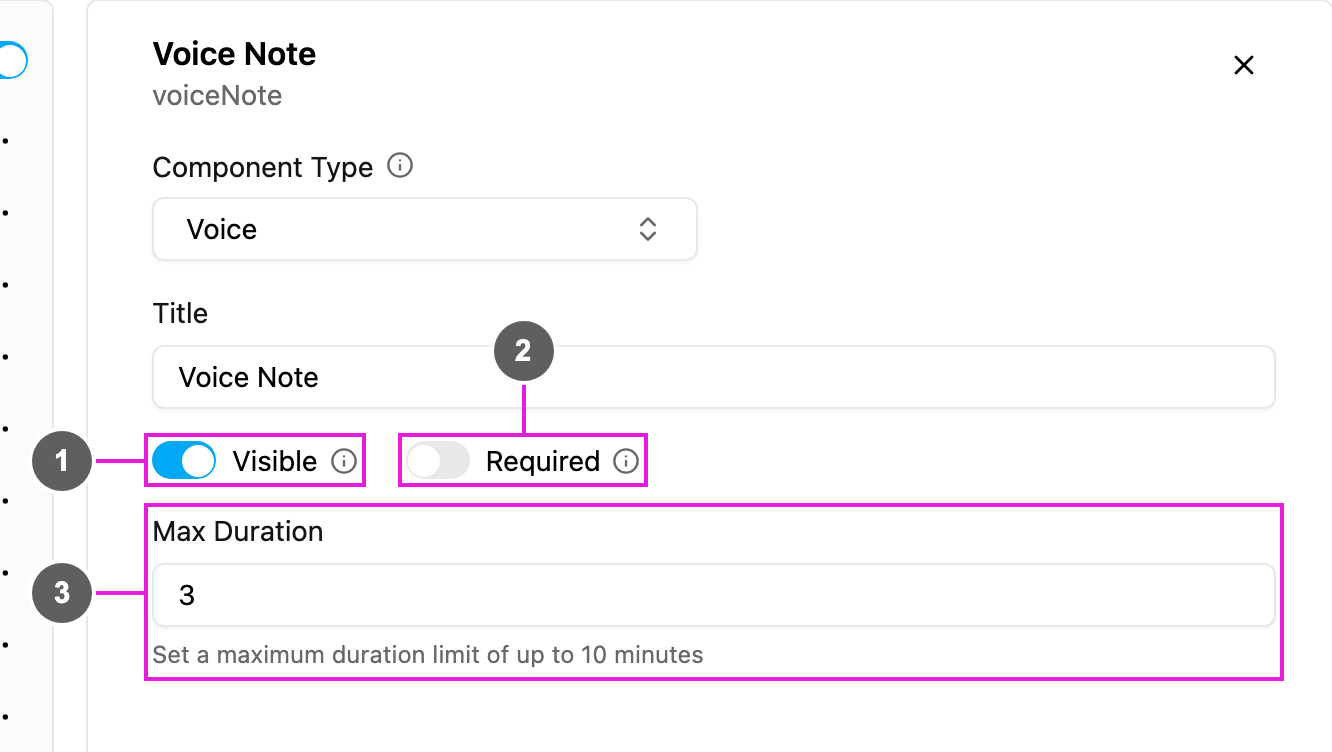
- Visible: when off, the component is hidden on the field app; the recording is still kept and exported.
- Required: the task cannot be finished until something is recorded.
- Max Duration: the longest recording, in minutes, up to 10. Recording stops by itself at this limit.