

Required permission:
- View automation
- Create automation
Automation detail
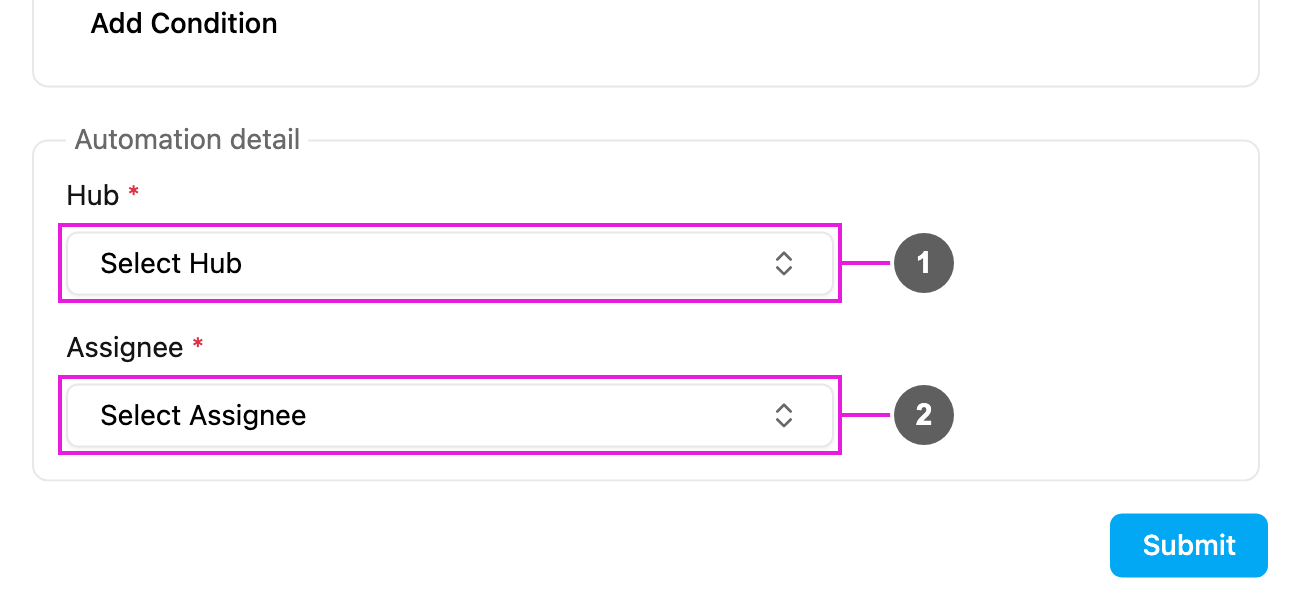
- Hub: required. The hub the assignee works in. The task is assigned in this hub.
- Assignee: required. The user who gets the task: a field worker, a team lead or any user who works in that hub.
How it works
- A task of the automation’s task type is created.
- The rules, if any, are checked.
- The task is assigned to the chosen user in the chosen hub straight away.
- The assignee is notified, depending on their settings, and the task appears in their list in the field app.
- One automation assigns to one user. To spread tasks over several people, create several Assign Task automations with different rules.
- A task that is already assigned is not reassigned.
- The assignee must have access to the chosen hub.
- For more advanced assignment logic, send the task to your own system with a Webhook and assign it through the API.
Examples
Troubleshooting
The task isn’t assigned.- Check that the automation is Active, its task type matches, and the rules don’t exclude the task.
- Check that the assignee still has access to the hub.
- Edit the automation and check Assignee.
- Look for other active automations on the same task type.
- Check the user’s current hubs on User.