

dd/mm/yyyy hh:mm format.
In the previous version this type was called Date Time.
- Appointment: when a technician is booked to arrive.
- Pickup slot: the agreed collection time.
- Event time: when something happened, entered by hand. To stamp the current time with one tap instead, use Capture.
Properties
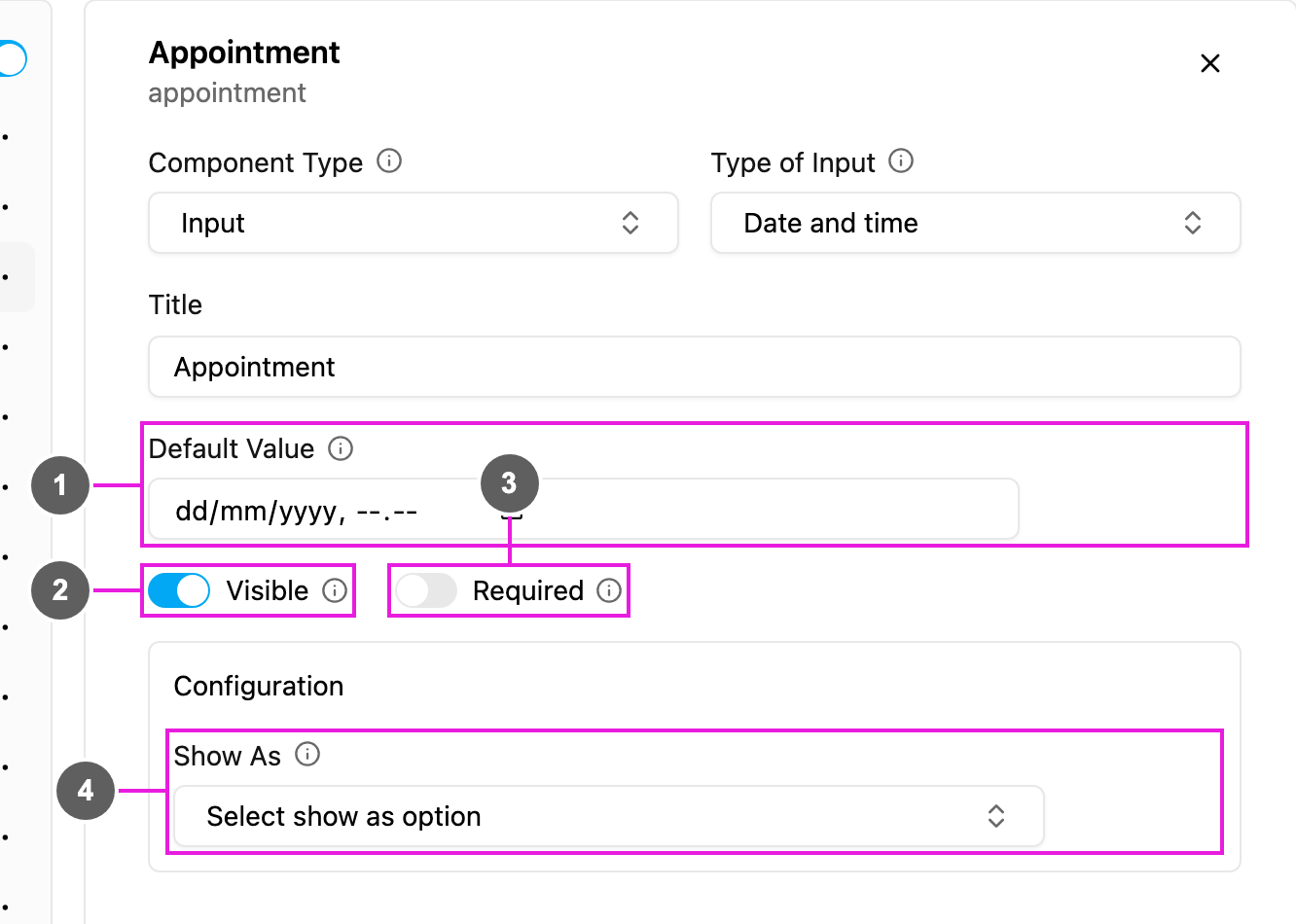
- Default Value: a date and time filled in for every new task, in
dd/mm/yyyy hh:mm. - Visible: when off, the field is hidden on the web and the field app; its value is still kept and exported.
- Required: the task cannot be saved or finished until a date and time are picked.
- Show As: show the value in the task list as the task’s Title, Content or Label.
How to set it up
Click Add component, choose Input, set Type of Input to Date and time, write the Title, and set Required, Visible and the Default Value as needed.On the field app
The field opens a date and time picker indd/mm/yyyy hh:mm. It can already be filled from task creation or from the Default Value, and the worker can change it before finishing the page.